1
2
Code Generation and the Build Process
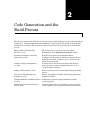
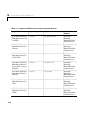
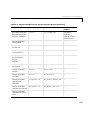
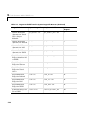
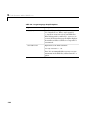
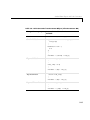
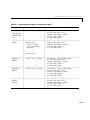
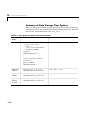
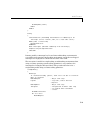
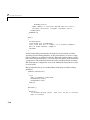
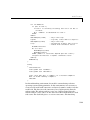
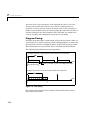
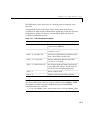
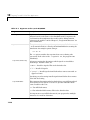
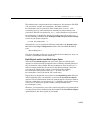
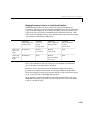
The following table lists the code generation variables you can set with the
%assign statement.
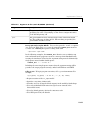
Table 2-3: Target Language Compiler Optional Variables
Variable
MaxStackSize=N
Description
When Local block outputs is enabled,
the total allocation size of local variables
that are declared by all functions in the
entire model may not exceed
MaxStackSize (in bytes). N can be any
positive integer. The default value for
MaxStackSize is rtInf, i.e. unlimited
stack size.
MaxStackVariableSize=N
When Local block outputs is enabled, this
limits the size of any local variable declared
in a function to N bytes, where N>0. A
variable whose size exceeds
MaxStackVariableSize will be allocated in
global, rather than local, memory
WarnNonSaturatedBlocks=
Flag to control display of overflow warnings
for blocks that have saturation capability,
but have it turned off (unchecked) in their
dialog. These are the options:
value
• 0 — no warning is displayed
• 1 — displays one warning for the model
during code generation
• 2 — displays one warning that contains a
list of all offending blocks
2-60