1
1. Starting PocketGIS
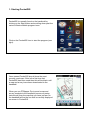
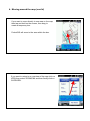
PocketGIS is normally found on the handheld by
clicking on the Start button and scrolling down past the
various Window Mobile program icons.
Click on the PocketGIS icon to start the program (see
right).
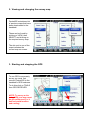
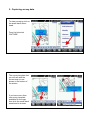
Once started PocketGIS should show the most
recently used map. If this is the first time that
PocketGIS has been used then this will be blank until
a map and survey have been downloaded to the
handheld.
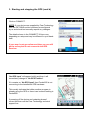
When you use PTMapper Pro to send a map and
survey template to the handheld (see survey setup
instructions) then the map that you have just sent to
the handheld will be the one that is currently displayed
on screen in PocketGIS.