1
14. Resurveys
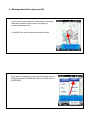
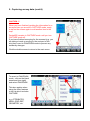
To conduct a resurvey of a site you must have the previous survey data available in
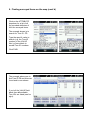
PocketGIS. This may be found by selecting VIEW, SELECT and then scrolling through
the list of surveys.
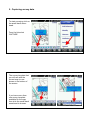
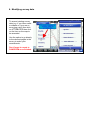
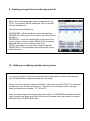
If the survey is not shown in the list then check to see if the data is still listed under
TOOLS and then MAP MANAGER. If the data is listed there then you may need to
re-create the VIEW so that the map and survey data can be displayed again on screen.
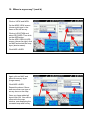
If this is the case then read the section “Where’s my survey?” to recreate the map
and survey data.
Alternatively, it may be stored on a micro SD card previously installed in the handheld
and used when creating surveys with PocketGIS. If this is the case then inserting it into
the handheld will allow you to re-use the survey data.
All surveys created in PocketGIS are saved in a folder called PocketGIS Database,
which is normally saved on a micro SD card installed in the handheld.
We recommend buying additional Micro SD cards (we normally fit 4 GB cards) and
periodically replacing the cards. Keep the removed cards in a safe place so that you can
replace them in the handheld and return to any previously conducted surveys.
Keeping copies of each removed cards PocketGIS Database folder on your PC is also
recommended.as an additional backup method.