1
2-16 Setting Up Your Server
CONNECTING PERIPHERAL DEVICES
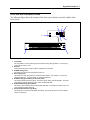
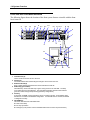
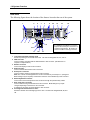
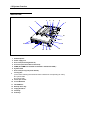
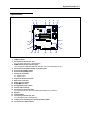
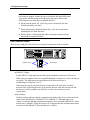
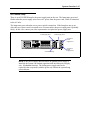
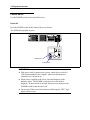
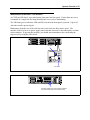
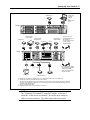
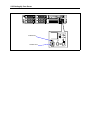
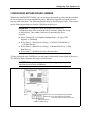
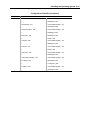
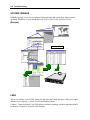
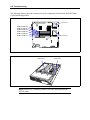
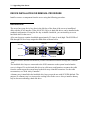
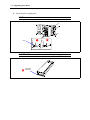
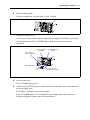
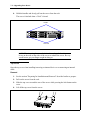
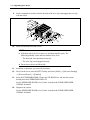
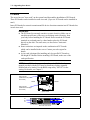
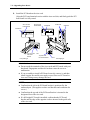
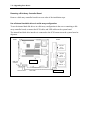
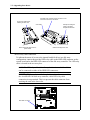
Connect peripheral devices to the server. The server is provided with connectors for wide variety
of peripheral devices on its front and rear. The figure on the next page illustrates available
peripheral devices for the server in the standard configuration and locations of the connectors for
the devices.
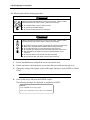
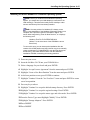
CAUTION
Observe the following instructions to use the server safely. Failure to follow
these instructions may cause a fire, personal injury, or property damage.
Do not connect any interface cable when the power cord of the Express
Server is plugged to a power source.
Do not use any unauthorized interface cable.
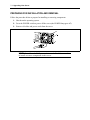
IMPORTANT:
!
!
!
!
!
!
!
!
!
!
Power off the server and a peripheral device before connecting
interface cables. Connecting a powered peripheral device to a
powered server may cause malfunctions and failures.
To connect a third-party peripheral device or interface cable to the
server, consult with your sales agent for availability of such a device
or cable. Some third-party devices may not be used with this server.
The total length of a cable (including the connection cable in SCSI
device) is limited by SCSI standards. Ask your sales representative
for details. (The internal SCSI cable of the server is 0.5 m long.)
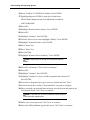
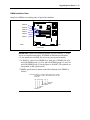
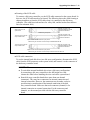
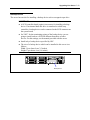
The "100BASE-TX/10BASE-T LAN connector" and the "serial port 2
connector" of this server are identical. Be careful not to connect a
cable to a wrong connector. Tag cables connected to these ports.
A leased line cannot be connected directly to the serial port
connectors.
When using the front serial port connector for maintenance, do not
connect any equipment to serial port 2 connector on the rear panel.
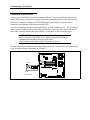
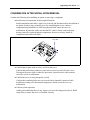
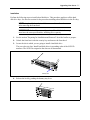
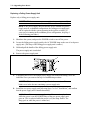
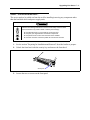
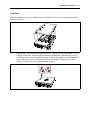
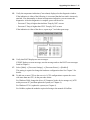
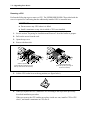
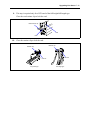
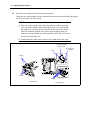
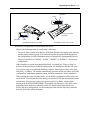
Secure the power cord(s) and interface cables with a tie wrap.
Bundle the cables to ensure they will not come into contact with the
rack cabinet door or the guide rails on the sides of the server.
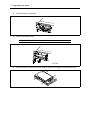
Ensure there is some slack in the power cable at the AC inlet of the
server. This is to prevent the power cord from coming off when the
server is fully extended from the rack.
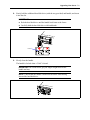
Do not apply any pressure to the plug of the power cord.