1
Chapter 1: Building Resources
create app/views/recipes/show.html.erb
create app/views/recipes/new.html.erb
create app/views/recipes/edit.html.erb
create app/views/layouts/recipes.html.erb
create public/stylesheets/scaffold.css
create
app/models/recipe.rb
create
test/unit/recipe_test.rb
create
test/fixtures/recipes.yml
create
db/migrate
create
db/migrate/001_create_recipes.rb
create app/controllers/recipes_controller.rb
create test/functional/recipes_controller_test.rb
create app/helpers/recipes_helper.rb
route map.resources :recipes
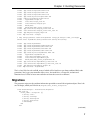
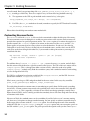
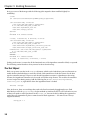
$ ruby script/generate scaffold ingredient recipe_id:integer order_of:integer
amount:float ingredient:string instruction:string unit:string
create app/views/ingredients
create app/views/ingredients/index.html.erb
create app/views/ingredients/show.html.erb
create app/views/ingredients/new.html.erb
create app/views/ingredients/edit.html.erb
create app/views/layouts/ingredients.html.erb
create
app/models/ingredient.rb
create
test/unit/ingredient_test.rb
create
test/fixtures/ingredients.yml
create
db/migrate/002_create_ingredients.rb
create app/controllers/ingredients_controller.rb
create test/functional/ingredients_controller_test.rb
create app/helpers/ingredients_helper.rb
route map.resources :ingredients
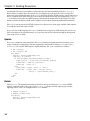
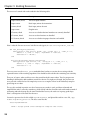
That’s a lot of files for each scaffold, many of which will be familiar to you from traditional Rails code
generation. You’ve got your controller object, views, the model class, a fixture file, and unit and
functional tests. I’d like to focus some attention on items that are new or different.
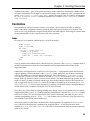
Migrations
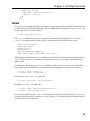
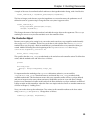
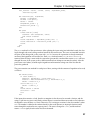
The generator script uses the attribute information provided to create Rails migration objects. Here’s the
one for Recipe, which you’ll find in db/migrate/001_create_recipes.rb:
class CreateRecipes < ActiveRecord::Migration
def self.up
create_table :recipes do |t|
t.string :title
t.string :servings
t.string :description
t.string :directions
t.timestamps
end
end
(continued)
7