1
Ver 1.20.2
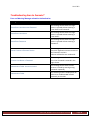
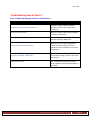
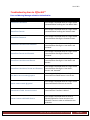
Troubleshooting Scan to Hightail™
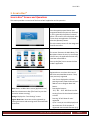
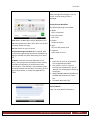
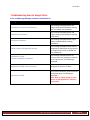
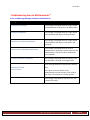
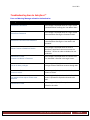
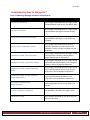
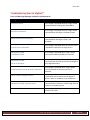
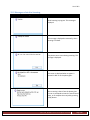
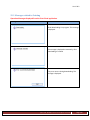
Error and Warning Messages related to Authentication
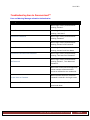
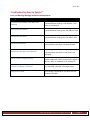
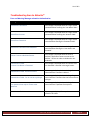
Message
Condition
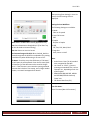
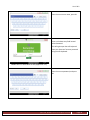
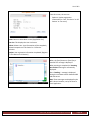
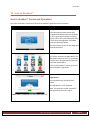
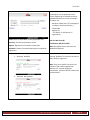
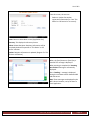
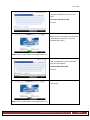
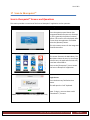
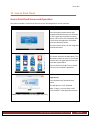
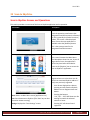
Please Enter Email
This message is displayed when the ‘Login’ button
is pressed without entering the ‘Email’ ONLY.
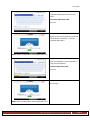
Please Enter Password.
This message is displayed when the ‘Login’ button
pressed without entering the ‘Password’ ONLY.
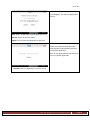
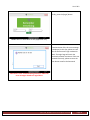
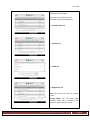
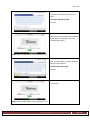
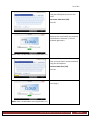
This message is displayed when the ‘Login’ button
pressed without entering the ‘Email’ and
‘Password’.
Please Enter Email and Password.
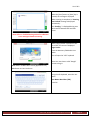
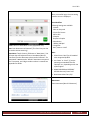
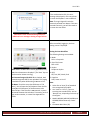
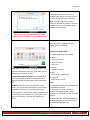
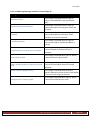
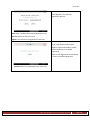
Authentication Failed:
Incorrect Email or Password.
This message is displayed when an incorrect Email
or Password is entered in the Login Screen.
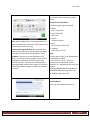
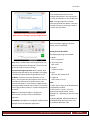
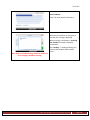
Authentication Failed:
Invalid Email Format.
This message is displayed When ‘Login’ button
pressed and invalid Email address is entered.
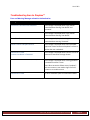
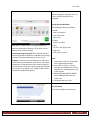
Authentication Failed:
You do not privileges
This message is displayed When ‘Login’ button
pressed and your account do not have privileges to
access Hightail account
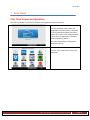
Invalid Password, must be at least 5 Characters
This message is displayed When ‘Login’ button
pressed Password entered has less than 5
characters.
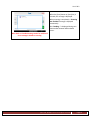
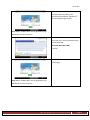
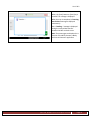
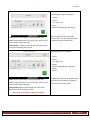
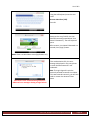
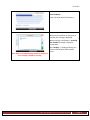
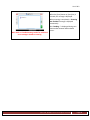
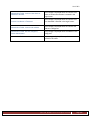
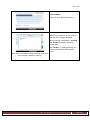
Cannot Connect to Hightail Service.
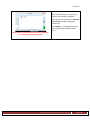
Authentication Failed: Account Locked
Authentication Failed.
This message is displayed when the Scan to Hightail
™ application cannot connect to the Hightail ™
service in order to validate the user credentials.
This message is displayed When ‘Login’ button
pressed and User’s account is locked. Login from PC
browser to re-enable account.
This message is displayed for any other error not
defined in this table.
Ricoh Americas Corporation
Page 117