1
Ver 1.20.2
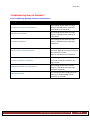
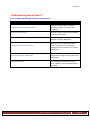
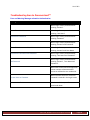
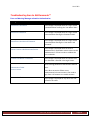
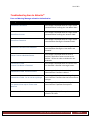
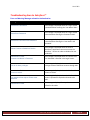
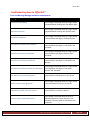
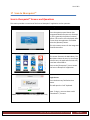
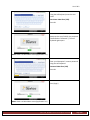
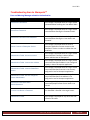
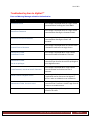
Troubleshooting Scan to Documentmall™
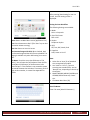
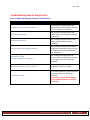
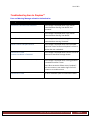
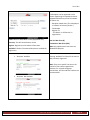
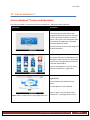
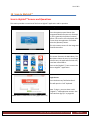
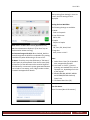
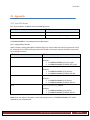
Error and Warning Messages related to Authentication
Message
Condition
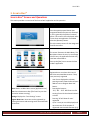
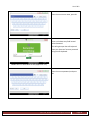
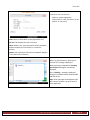
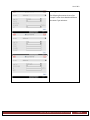
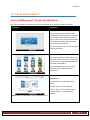
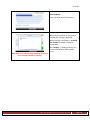
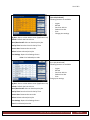
Please Enter Account.
When ‘Login’ button pressed without
entering ‘Account’.
Please Enter User Name.
When ‘Login’ button pressed without
entering ‘User Name’.
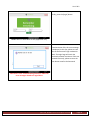
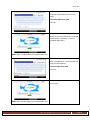
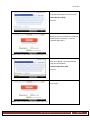
Please Enter Password.
When ‘Login’ button pressed without
entering ‘Password’.
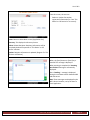
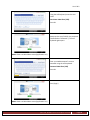
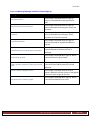
Please Enter Account and Password.
When ‘Login’ button pressed without
entering ‘Account’ and ‘Password’.
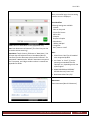
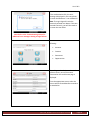
Please Enter Account and User Name.
When ‘Login’ button pressed without
entering ‘Account’ and ‘User Name.
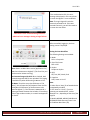
Please Enter User Name and Password.
When ‘Login’ button pressed without
entering ‘User Name and ‘Password’.
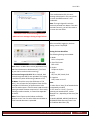
Please Enter Account, User Name
and Password.
When ‘Login’ button pressed without
entering ‘Account’ , ‘User Name and
‘Password’.
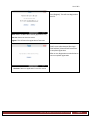
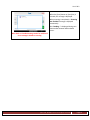
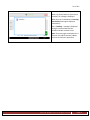
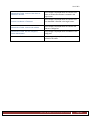
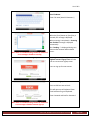
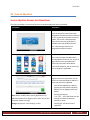
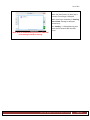
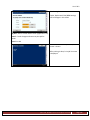
Cannot Connect to Documentmall Service.
When Scan to Documentmall application
cannot connect to Documentmall™
service to validate the user credentials.
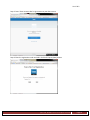
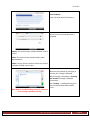
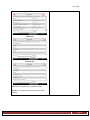
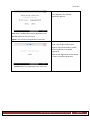
Authentication Failed: Incorrect Account
or User Name or Password.
When incorrect Account or User ID or
Password is entered in the Login Screen
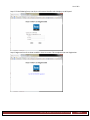
Authentication Failed.
All other conditions apart from
mentioned above.
Ricoh Americas Corporation
Page 60