1
Troubleshooting
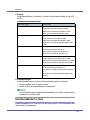
Problems
Solutions
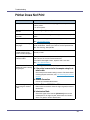
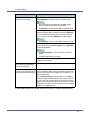
Alert Resolving is set for sending e-mail, but no Alert-resolved
e-mail is sent.
If the power of the main unit is turned off after an Alert occurs,
the Alert is resolved during the time the power is off: no Alertresolved e-mail is sent.
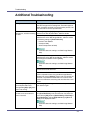
Alert Occurrence and Alert Resolving are set for sending email, but while no Alert Occurrence mail is received, Alert-resolved e-mail is received.
Alert-notification e-mail is not sent if the problem is resolved
before sending. However, an Alert-resolved e-mail is sent.
Alert-notification level was
If an Alert-notification e-mail, set with the earlier notification
changed, and e-mail stopped ar- level, arrives, later e-mail will not be sent, even if the notificariving.
tion level is changed after.
When no date information is included in sent e-mail, the mail
server has a malfunction.
Make the setting for obtaining time information from the
SNTP server. Refer to the Web Image Monitor's Help to the
settings.
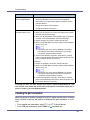
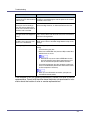
Printing using Bluetooth is slow. When using the optional Bluetooth interface unit, do the following;
•
Transmit fewer print jobs.
•
Make sure no IEEE 802.11b (wireless LAN) or other Bluetooth devices are in use.
❒ Interference may occur with the IEEE 802.11b wireless LAN interface board. Such interference may affect the transmission speed and other functions.
•
Transmissions between the client computer and the machine can be blocked by obstructions. Move the machine
or client computer if necessary.
❒ When you use a Bluetooth connection, print jobs are
transmitted relatively slowly.
If the machine is still not operating satisfactorily, contact your sales or service
representative. Consult with the store where the printer was purchased for information about the location of sales or service representatives.
94





























































































































































![CSélectionnez une langue, puis cliquez sur [OK].](http://vs1.manualzilla.com/store/data/006317938_1-593541ea6460ab0ad2c00e00abd849cd-150x150.png)
![DHaga clic en [Siguiente =]. - Firmware Center](http://vs1.manualzilla.com/store/data/006219344_1-304051f971daee15dd0cbfb99af5f096-150x150.png)

![quindi fare clic su [OK]. - Firmware Center](http://vs1.manualzilla.com/store/data/006146493_1-a65fa0368bddccb764b2c8ac1eae6499-150x150.png)