1
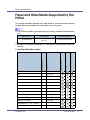
Monitoring and Configuring the Printer
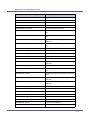
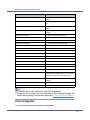
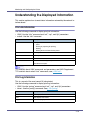
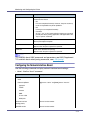
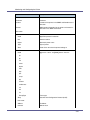
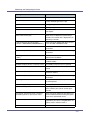
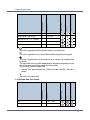
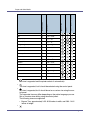
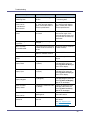
Messages
Description
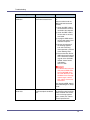
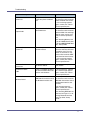
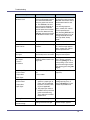
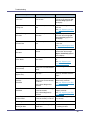
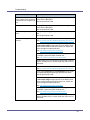
Full: Hole Punch Receptacle
Punch Chip receptacle for hole punch is full.
Full: Standard Tray
The output paper tray is full.
Full: Waste Toner
Waste toner is full.
Full: Waste Toner Bottle
Waste toner bottle is full.
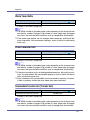
Hex Dump Mode
It is a hex dump mode.
Immed. Trans. not connected
It did not connect directly with the other party
of the transmission.
Immediate Transmission Failed
An error has occurred while transmitting directly.
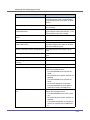
In Use: Copier
The copier is being used.
In Use: Fax
The fax is being used.
In Use: Finisher
Other functions is using Finisher.
In Use: Input Tray
Other functions is using the input tray.
In Use: Staple Unit
Other functions is using the staple unit.
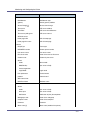
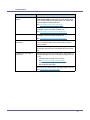
Independent-supplier Toner
Toner that is not recommended is set.
Key Card not inserted
The machine is waiting for key card to be inserted.
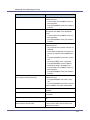
Key Card/Counter not inserted
The machine is waiting for key card or key
counter to be inserted.
Key Counter not inserted
The machine is waiting for key counter to be
left in it.
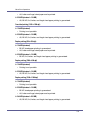
Loading Toner...
Toner is being supplied.
Low: Black Toner
The black toner cartridge is not set correctly, or
toner is almost running out.
Low: Cyan Toner
The cyan toner cartridge is not set correctly, or
toner is almost running out.
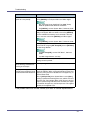
Low: Magenta Toner
The magenta toner cartridge is not set correctly, or toner is almost running out.
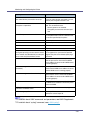
Low: Toner
The black toner cartridge is not set correctly, or
toner is almost running out.
Low: Yellow Toner
The yellow toner cartridge is not set correctly,
or toner is almost running out.
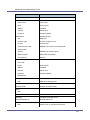
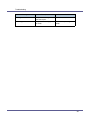
Malfunction: Booklet Processor
There is a problem with booklet finisher.
Malfunction: Ext. Charge Unit
There is a problem with external charge unit.
Malfunction: Finisher
There is a problem with Finisher.
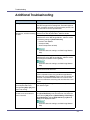
Malfunction: Interposer
There is a problem with Interposer.
Malfunction: LargeCapacity Tray
There is a problem with LargeCapacity tray.
Malfunction: Output Tray
There is a problem with output tray.
212