1
Figures
74
75
76
77
78
79
80
81
82
83
84
85
86
87
88
89
90
91
92
93
94
95
96
97
98
99
100
101
102
103
104
105
106
107
108
109
110
111
112
113
114
115
116
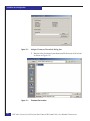
Specifying a driver for your adapter ........................................................... 93
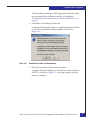
Windows installation prompt screen ........................................................... 94
Install Windows screen .................................................................................. 95
Server Core installation example ................................................................. 96
Emulex Autopilot driver install wizard ...................................................... 97
Emulex HBAnyware utility ........................................................................... 98
Storport Miniport Driver Kit installation window .................................. 101
Specifying the installation folder ................................................................ 102
Installation complete .................................................................................... 103
AutoPilot installer program ........................................................................ 104
Available drivers .......................................................................................... 105
Adapter configuration: PowerPath selection ........................................... 106
Topology selection ........................................................................................ 107
Completing the installation ......................................................................... 108
Installation complete .................................................................................... 109
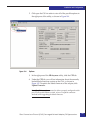
HBAnyware: General tab ............................................................................ 110
HBAnyware: Firmware tab ......................................................................... 111
Select Firmware File dialog box ................................................................. 112
HBAnyware: General tab ............................................................................ 114
HBAnyware: Firmware tab ......................................................................... 115
Select Firmware File dialog box ................................................................. 116
Device Manager ............................................................................................ 118
HBAnyware utility ....................................................................................... 119
HBAnyware utility ....................................................................................... 120
Options ........................................................................................................... 121
Maintenance tab ............................................................................................ 122
Confirmation dialog box .............................................................................. 123
Firmware Download window .................................................................... 124
Firmware Download progress bar ............................................................. 125
HBAnyware utility ....................................................................................... 126
Options ........................................................................................................... 127
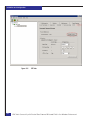
CEE tab ........................................................................................................... 128
Warning dialog box ...................................................................................... 129
Start Download ............................................................................................. 130
Progress bar ................................................................................................... 131
OneCommand Manager installation window ......................................... 133
Specify the installation folder ..................................................................... 134
Installation completed window .................................................................. 135
AutoPilot Installer window ......................................................................... 136
Driver installation window ......................................................................... 137
AutoPilog Installer Warning dialog box ................................................... 138
Installation complete confirmation window ............................................ 139
OneCommand Manager window .............................................................. 140
EMC Host Connecivity with Emulex Fibre Channel HBAs and CNAs in the Windows Environment
9