
1
Engineering Menu
8150 Technical Guide
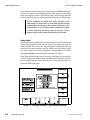
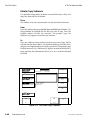
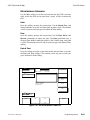
Software Update Submenu
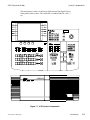
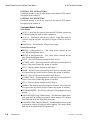
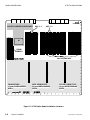
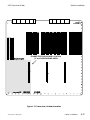
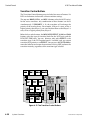
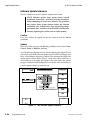
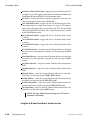
Use this submenu to install a software update from Accom.
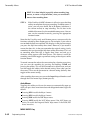
NOTE: Software updates from Accom always include
installation instructions. ALWAYS read the instructions
before attempting to install new software. The procedure
may require other system changes before the software
installation. You should always save engineering setups,
personality files, and effects to disk before installing new
software; updating the system clears resident memory.
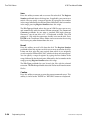
Confirm
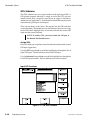
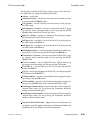
Press this softkey to update the device selected with the Device
pushknob.
Update
Press this softkey to access the Device pushknob, which selects None,
Chassis, Panel, or RAM for updating.
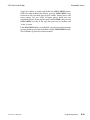
An 8150 software upgrade usually calls for updating the Signal Chassis
software first. With the software update disk installed in the floppy disk
drive, select Chassis, then press Confirm. This automatically begins the
update process for the Signal Chassis, which takes about 2 minutes. A
small read-out in the upper left corner of the menu shows the update
progress. When finished, the Signal Chassis reboots itself, and the Keyer
1 menu appears when it is ready for use.
Engineering Menu
Keypad
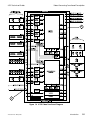
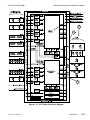
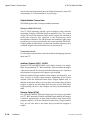
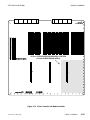
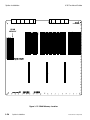
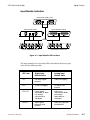
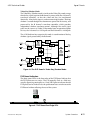
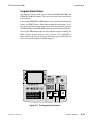
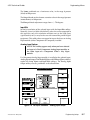
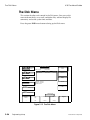
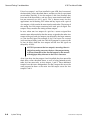
Figure 5-7 The Software Update Submenu
5-24
Engineering Setup
9100-0212-04 - May 2000





















































































![User's Manual[FBD1] ProMax ProMedia Converter](http://vs1.manualzilla.com/store/data/006881326_1-9e3a0042b45fc9f5f8ff38953ecf78a2-150x150.png)