
1
8150 Technical Guide
Control Panel
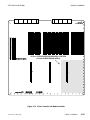
The Keypad Buffer
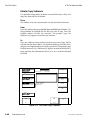
The keypad buffer can show one of the following:
Empty – the keypad buffer is ready for use. You can enter a number
or command from the numeric keypad, or press a pushknob to copy
that pushknob value into the buffer.
A value – pressing a pushknob enters the number in the buffer as that
pushknob value.
A value and the word "<Trim>" – pressing the TRIM button with a
value present, or pressing TRIM and then entering a value, offsets the
parameter value by the amount shown in the buffer (positive or
negative) when you press that pushknob.
The word "<Align>" – pressing the ALIGN button clears any value in
the keypad buffer; pressing a pushknob that contains a numerical
value changes the value to a number that is the nearest one-eighth of
the full range for that adjustment. For example, if the pushknob is a
gain adjustment with a range of 0.00 to 100.00, pressing ALIGN and
the pushknob changes the value to 0.00, 12.50, 25.00, 37.50, 50.00, 62.50,
75.00, 87.50, or 100.00, whichever is closest to the current value. If the
pushknob is an angular adjustment, pressing ALIGN and the
pushknob changes the value to 0.00, 45.00, 90.00, 135.00, 180.00, 225.00,
270.00, or 315.00, whichever is closest to the current value.
The word "<Clear>" – pressing a pushknob with the word "<Clear>"
in the buffer loads the default setting for that pushknob. Pressing and
holding the CLEAR button highlights the word "<Clear>." This lets
you press several pushknobs or softkeys to set them all to their
defaults.
The word "<Negate?>" and the "-" symbol – press the +/- button by
itself, then press a pushknob to change the sign of the pushknob value
if its range includes negative numbers. Otherwise, it changes the value
to its lowest setting.
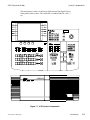
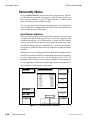
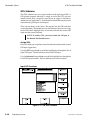
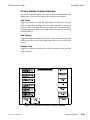
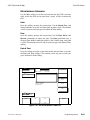
Softkeys and Pushknobs
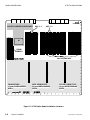
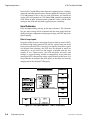
There are six blank buttons, called softkeys, on either side of the menu
screen. The group on the right are submenu softkeys. The group on the
left are parameter/flag softkeys.
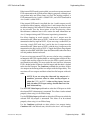
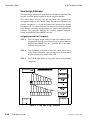
You can press the submenu softkeys on the right side of the menu screen
to access submenus without returning to a top level menu. Pressing a
submenu softkey brings up all its parameter/flag controls on the left
side of the menu. Pressing a flag softkey turns the flag on and off, or
toggles through multiple settings. Pressing a parameter softkey selects
that function and brings up as many as four values or settings at the
bottom of the menu screen, above the pushknobs.
9100-0212-04 - May 2000
System Overview
4-17

















































































![User's Manual[FBD1] ProMax ProMedia Converter](http://vs1.manualzilla.com/store/data/006881326_1-9e3a0042b45fc9f5f8ff38953ecf78a2-150x150.png)