
1
8150 Technical Guide
Engineering Menu
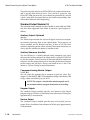
The Luma pushknob sets a luminance value, in the range 0 percent
(black) to 100 percent.
The Sat pushknob sets the chroma saturation value in the range 0 percent
(monochrome) to 100 percent.
The Hue pushknob adjustment ranges from +/- 720 degrees.
Input Bits
Set the bit resolution of the selected input with the Input Bits softkey.
Normally, leave it at 10 bits (the default), unless the source connected to
this input has only 8-bit resolution and does not set the LSBs (least
significant bits) to 0, as may be the case with some older parallel digital
equipment. This softkey does not appear for inputs that have an Analog
Input module (either Component or Composite) installed.
Analog Input Setups
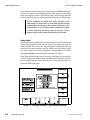
NOTE: This softkey appears only when you have selected
an input of a Dual Component Analog Input module, or
the video input of a Component Video + Key Input
module.
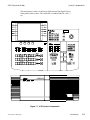
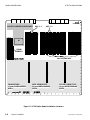
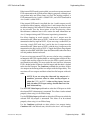
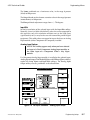
If a Component Analog Input module is installed at the selected input,
Analog Input Setups, Gain/Pedstl Offsets, and H Phase Offsets softkeys
replace the Setup Inputs and Input Bits softkeys. The Analog Input
Setups softkey accesses pushknobs as described below.
Engineering Menu
Keypad
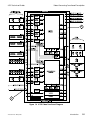
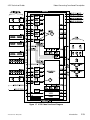
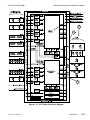
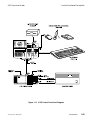
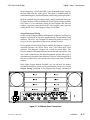
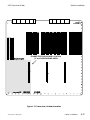
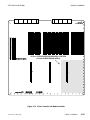
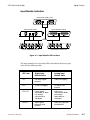
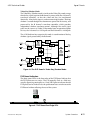
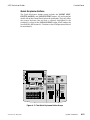
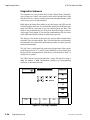
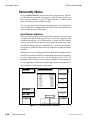
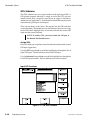
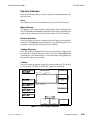
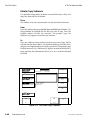
Figure 5-4 The Input Submenu - Analog Input Setups
9100-0212-04 - May 2000
Engineering Setup
5-7

















































































![User's Manual[FBD1] ProMax ProMedia Converter](http://vs1.manualzilla.com/store/data/006881326_1-9e3a0042b45fc9f5f8ff38953ecf78a2-150x150.png)