1
Outputs On Off
Allows you to manually turn the system or door access relay
outputs ON and OFF.
This function is used to individually turn your system’s relay and
access door outputs ON and OFF. Your system may use these outputs
to control door access, interior and exterior lighting, heating, air
conditioning, or other appliances.
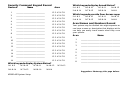
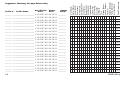
The names and numbers of the relays connected to your system
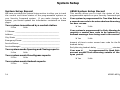
are located in the System Setup section of this guide.
Outputs can be turned ON or OFF regardless of the output settings
in Schedules.
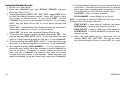
Turning the Outputs ON and OFF
1.
2.
3.
4.
5.
6.
Your system may be programmed to require that your user code
profile have access to areas assigned to the keypad. INVALID AREA
is displayed when your user code does not have access to the
keypad’s areas and the output does not turn on.
Under certain conditions, some outputs cannot be turned on.
If you select a restricted output, the keypad displays
CANNOT TURN ON.
7.
8.
Access the User Menu.
Press COMMAND until OUTPUTS ON/OFF? displays.
Press any Select key to display OUTPUTS DOOR.
Select the type of output you want to turn ON or OFF by
pressing the Select key under OUTPUTS or DOOR.
Enter the output number you want to turn ON or OFF. The
output number will appear in the display. The range for outputs
is 1-10, 100-199, 200-299. The range for door is 1-16.
With the output number displayed, press the Select key under
ON or OFF. The output is then turned ON or OFF depending on
your Selection, and remains in that state until you change it.
The keypad displays the first 12 characters of the output or
door name followed by either ON or OFF for four seconds to
provide visual verification of the action. Press the COMMAND
key to end the four second display.
The system automatically returns to the output or door
prompt and a new output can be selected to turn ON or OFF.
Refer back to step 4.
Press the Back Arrow key to exit the User Menu.
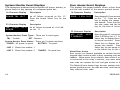
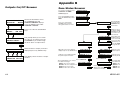
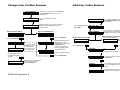
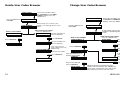
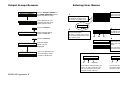
☞ Browser Feature
If you are unsure of the output number, refer to
Appendix B at the back of this guide for a diagram showing
you how to use the built-in Outputs ON/OFF browser.
XR200-485 User Menu
15