1
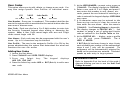
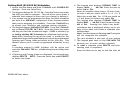
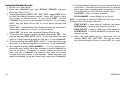
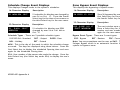
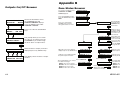
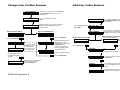
Bypass Zones Browser
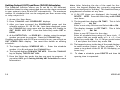
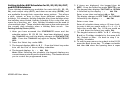
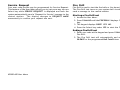
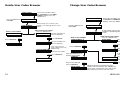
Zone Monitor Browser
ZONE MONITOR?
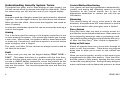
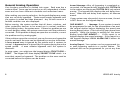
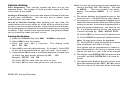
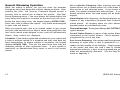
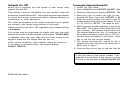
Access the User Menu. Press
COMMAND until BYPASS ZONES
appears. Press any SELECT key.
BYPASS ZONES?
Press either of the two left SELECT
keys.
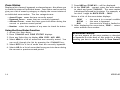
ZONE: -
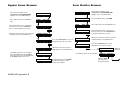
This prompt allows you to search for a
zone by area. Press the COMMAND
key to scroll through the list of areas.
Press either of the two left SELECT keys.
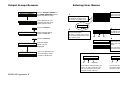
SELECT AREA . . .
EAST DOOR
RST BYP
FRONT OFFICE
When the area where the zone is located
is displayed, press any SELECT key.
SELECT ZONE . . .
Press the COMMAND key to scroll
through the list of all zone names.
Press the COMMAND key to scroll
through the list of all zone names.
When the correct zone name is
displayed, press any SELECT key.
ZONE:012 RST BYP
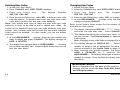
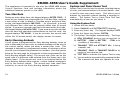
ZONE: -
This prompt allows you to search for a
zone by area. Press the COMMAND key
to scroll through the list of areas.
COMMAND
COMMAND
XR200-485 Appendix B
ADD RMV
FRONT OFFICE
SELECT ZONE . . .
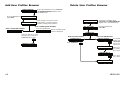
The display shows the zone number.
Press the SELECT key under RST to
Reset the zone. Press the SELECT key
under BYP to Bypass the zone.
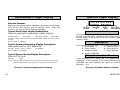
Press the SELECT key under NBR.
SELECT AREA . . .
COMMAND
When the area where the zone is located
is displayed, press any SELECT key.
ALL NBR
RST BYP
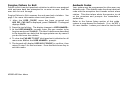
ZONE: -
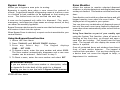
Access the User Menu. Press
COMMAND until ZONE MONITOR?
displays. Press any SELECT key.
COMMAND
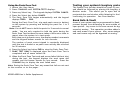
The display shows the zone number.
The display returns to the ZONE:
prompt allowing you to enter
another zone number.
EAST DOOR
When the correct zone name is
displayed, press any SELECT key.
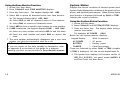
ZONE:012 ADD RMV
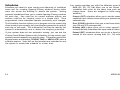
Selecting ADD
puts the zone in
the monitor mode.
Selecting RMV removes the
zone from the monitor
mode.
47