1
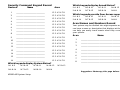
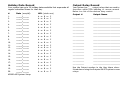
Security Command Keypad Record
Device #
Name
Which keypads display Armed Status?
Area
❏1&9
❏ 2 & 10
❏ 3 & 11
❏ 4 & 12
❏ 6 & 14
❏ 7 & 15
❏ 8 & 16
❏ N/A
❏ 5 & 13
1
____________________________
12345678
2
____________________________
12345678
3
____________________________
12345678
4
____________________________
12345678
5
____________________________
12345678
6
____________________________
12345678
7
____________________________
12345678
8
____________________________
12345678
9
____________________________
12345678
10
____________________________
12345678
1
___________________________________________
11
____________________________
12345678
2
___________________________________________
12
____________________________
12345678
3
___________________________________________
13
____________________________
12345678
4
___________________________________________
14
____________________________
12345678
5
___________________________________________
15
____________________________
12345678
6
___________________________________________
16
____________________________
12345678
7
___________________________________________
8
___________________________________________
Which keypads display System Status?
❏1&9
❏ 2 & 10
❏ 3 & 11
❏ 4 & 12
❏ 6 & 14
❏ 7 & 15
❏ 8 & 16
❏ N/A
Which keypads provide Door Access reports?
❏1&9
❏ 2 & 10
❏ 3 & 11
❏ 4 & 12
❏ 6 & 14
❏ 7 & 15
❏ 8 & 16
❏ N/A
❏ 5 & 13
Area Names and Numbers Record
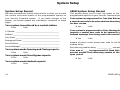
Your system may be divided into eight separate areas, each area
can have a name or description that displays at the keypad. This
can help you easily track events when they occur elsewhere in
your system.
Area
Name
❏ 5 & 13
Suggestion: Photocopy this page before using.
XR200-485 System Setup
37