1
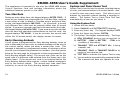
Bypass Zones
Zone Monitor
Allows you to bypass a zone prior to arming.
Allows the system to monitor selected disarmed zones (doors,
windows, or motion detectors) and display their name at the keypad
as they are faulted. This feature could be used to monitor an access
door.
Bypassing is usually done when a zone cannot be restored to
normal. A significant benefit of bypassing a zone is to allow a zone
in a faulted or bad condition to be bypassed so that arming can
occur. The faulted zone can be serviced the next day.
A zone can be bypassed only while it is disarmed. Fire, panic,
emergency, and supervisory type zones are always armed, so they
can never be manually bypassed.
Bypass Zones can also be used to reset a zone that has been bypassed
and restore it back into the system.
When Bypass Zones is selected, a report can be transmitted to your
central station.
Using the Bypass Zones Function
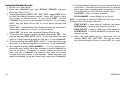
1. Access the User Menu.
2. Press COMMAND until BYPASS ZONES? displays.
3. Press any Select key.
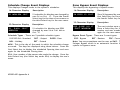
The keypad displays
ZONE: - RST BYPS.
4. To Bypass a zone, enter the zone number and select BYPS.
The zone number automatically disappears and a new zone
number can be entered. Refer back to step 3.
5. To Reset a zone, enter the zone number and select RST.
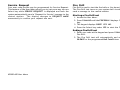
Zone Monitor works with any disarmed zone and will also sound the
keypad monitor tone when the zone faults. The zone name is
displayed at all keypads in your system.
You can place any combination of disarmed zones in Zone Monitor
but only the most recent zone faulted is displayed. The displayed
zone name clears automatically after a short time or when the zone
is armed.
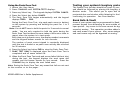
Using Zone Monitor as part of your weekly system test: After
using the System Test function, place all zones in Zone Monitor.
Starting at the front door, go around and open and then close
each door and window. You should hear the keypad beep each
time. The keypad will also display the name of each zone as its
device is opened.
Once all protected doors and windows have been tested, walk in
front of each motion detector. The keypad should beep to
confirm their operation. If at any time during your weekly testing
a device does not cause the keypad to beep, call the service
department for assistance.
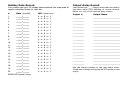
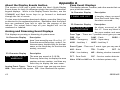
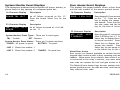
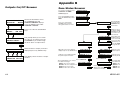
☞ Browser Feature
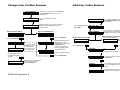
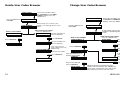
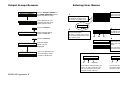
If you are unsure of the zone number or description, refer
to Appendix B at the back of this guide for a diagram
showing you how to use the built-in Bypass Zones browser.
XR200-485 User Menu
17