1
11
Create a Report Program
Create Microsoft Word Page Layout Sections
In this section...
“Define Page Layouts in a Template” on page 11-128
“Navigate Template-Defined Sections” on page 11-128
“Create Sections Programmatically” on page 11-129
You can divide a Word document into one or more sections, each with its own page
layout. Page layout includes page margins, page orientation, and headers and footers.
Define Page Layouts in a Template
Every Word template has at least one page layout section. You can use Word to create as
many additional sections as you need. For example, you may want to create in the main
template of a report sections for your report's title page, table of contents, and chapters.
See the Word documentation for information on how to create page layout sections in a
Word template.
Navigate Template-Defined Sections
When you open a Document or DocumentPart object in a report program, the DOM API
creates a hole and an associated DOCXSection property object for each section defined in
the document or document part template. The hole ID for the first section is #start. The
hole ID for the second section is sect2, and so on.
You can use the moveToNextHole function to move from section to section and from hole
to hole within a section. At each section hole, the DOM API sets a document or document
part CurrentDOCXSection property to the DOCXSection object associated with that
object. The DOCXSection object reflects the properties of the current section, as defined
in the template. For example, if you have defined the page orientation of that section to
be portrait, the page orientation is set as portrait in the current DOCXSection object.
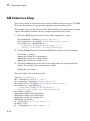
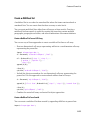
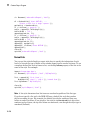
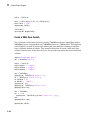
You can change the template-defined section properties programmatically. For example,
the page orientation of the DOM default Word template is portrait. This example shows
how to change the orientation to landscape to accommodate wide tables. The code swaps
the height and width of the page to reflect the new page orientation.
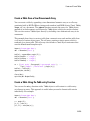
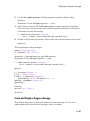
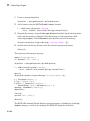
import mlreportgen.dom.*
11-128