1
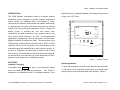
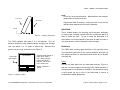
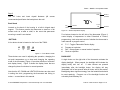
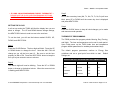
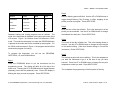
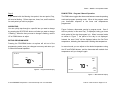
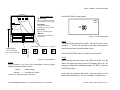
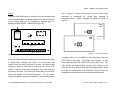
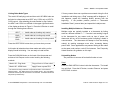
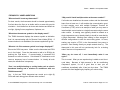
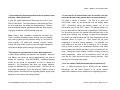
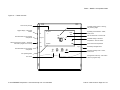
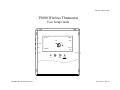
T9000 — MODEL 124 Operation Guide — IF USING A NON-PROGRAMMABLE MODEL THERMOSTAT — PLEASE SKIP THE CLOCK AND PROGRAMMING SECTIONS. CONTINUE ON PAGE 9 INSTALLING AND REMOVING NODES Step 3 One of the seven day icons (Mo, Tu, We, Th, Fr, Sa, Su) will now blink, press UP or DOWN until the correct day icon is displayed and press HEAT/COOL. SETTING THE CLOCK Step 4 In all set up modes the T9000 will blink the display item you are about to change. The UP and DOWN buttons change settings, the HEAT/COOL button is used to move to the next item. To set the clock, you will use the buttons marked CLOCK, UP, Press the CLOCK button to keep all clock changes you've made and resume normal operation. THERMOSTAT PROGRAMMING The T9000 provides four program periods: Morning, Day, Evening, DOWN, and HEAT/COOL. and Night. The time and temperature can be set for each period. Upon initial power up the T9000 loads time and temperature Step 1 Press the CLOCK Button. The hour digits will blink. Press the UP or DOWN button to change the hour. Note that AM / PM will program default parameters for weekday and weekend days. The default program parameters conform to Energy Star change as you roll the hour past 12. Be sure to set the hour guidelines and are a good point from which to start. properly for AM or PM. Press the HEAT/COOL button to keep the settings are: hour you've just set and to move to minutes. WEEKDAY DEFAULT PROGRAM TIMES AND TEMPERATURES Period Time Heat Cool MORNING 6:00 AM 70 75 button to change to the desired minute. When the correct minute DAY 8:00 AM 62 83 is flashing press HEAT/COOL. EVENING 6:00 PM 70 75 NIGHT 10:00 PM 62 78 Step 2 The Minute digits will now be blinking. Press the UP or DOWN © 2010 ENERNET Corporation • www.enernetcorp.com • 315-449-0839 Default Pub No. 12401-012210 / Page 6 of 16