1
83
COMPLETE LIST OF TERMINALS
83.78.2
gnuplot 4.4
215
Command-line options
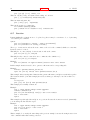
In addition to the X Toolkit options, the following options may be specified on the command line when
starting gnuplot or as resources in your ".Xdefaults" file (note that raise and persist can be overridden
later by set term x11 [no]raise [no]persist):
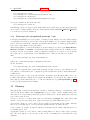
‘-mono‘
‘-gray‘
‘-clear‘
‘-tvtwm‘
‘-raise‘
‘-noraise‘
‘-noevents‘
‘-persist‘
forces monochrome rendering on color displays.
requests grayscale rendering on grayscale or color displays.
(Grayscale displays receive monochrome rendering by default.)
requests that the window be cleared momentarily before a
new plot is displayed.
requests that geometry specifications for position of the
window be made relative to the currently displayed portion
of the virtual root.
raises plot window after each plot.
does not raise plot window after each plot.
does not process mouse and key events.
plot windows survive after main gnuplot program exits.
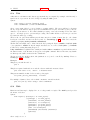
The options are shown above in their command-line syntax. When entered as resources in ".Xdefaults",
they require a different syntax.
Example:
gnuplot*gray: on
gnuplot*ctrlq: on
gnuplot also provides a command line option (-pointsize <v>) and a resource, gnuplot*pointsize:
<v>, to control the size of points plotted with the points plotting style. The value v is a real number
(greater than 0 and less than or equal to ten) used as a scaling factor for point sizes. For example,
-pointsize 2 uses points twice the default size, and -pointsize 0.5 uses points half the normal size.
The -noevents switch disables all mouse and key event processing (except for q and <space> for
closing the window). This is useful for programs which use the x11 driver independent of the gnuplot
main program.
The -ctrlq switch changes the hot-key that closes a plot window from q to <ctrl>q. This is useful is
you are using the keystroke-capture feature pause mouse keystroke, since it allows the character q to
be captured just as all other alphanumeric characters. The -ctrlq switch similarly replaces the <space>
hot-key with <ctrl><space> for the same reason.
83.78.3
Monochrome options
For monochrome displays, gnuplot does not honor foreground or background colors. The default is
black-on-white. -rv or gnuplot*reverseVideo: on requests white-on-black.
83.78.4
Color resources
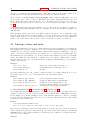
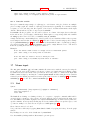
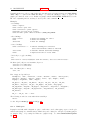
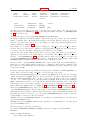
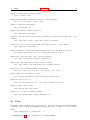
The X11 terminal honors the following resources (shown here with their default values) or the greyscale
resources. The values may be color names as listed in the X11 rgb.txt file on your system, hexadecimal RGB color specifications (see X11 documentation), or a color name followed by a comma and an
intensity value from 0 to 1. For example, blue, 0.5 means a half intensity blue.