1
184
83.32
gnuplot 4.4
83
COMPLETE LIST OF TERMINALS
Hp500c
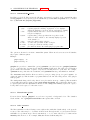
The hp500c terminal driver supports the Hewlett Packard HP DeskJet 500c. It has options for resolution
and compression.
Syntax:
set terminal hp500c {<res>} {<comp>}
where res can be 75, 100, 150 or 300 dots per inch and comp can be "rle", or "tiff". Any other inputs are
replaced by the defaults, which are 75 dpi and no compression. Rasterization at the higher resolutions
may require a large amount of memory.
83.33
Hpgl
The hpgl driver produces HPGL output for devices like the HP7475A plotter. There are two options
which can be set: the number of pens and eject, which tells the plotter to eject a page when done. The
default is to use 6 pens and not to eject the page when done.
The international character sets ISO-8859-1 and CP850 are recognized via set encoding iso 8859 1
or set encoding cp850 (see set encoding (p. 106) for details).
Syntax:
set terminal hpgl {<number_of_pens>} {eject}
The selection
set terminal hpgl 8 eject
is equivalent to the previous hp7550 terminal, and the selection
set terminal hpgl 4
is equivalent to the previous hp7580b terminal.
The pcl5 driver supports plotters such as the Hewlett-Packard Designjet 750C, the Hewlett-Packard
Laserjet III, and the Hewlett-Packard Laserjet IV. It actually uses HPGL-2, but there is a name conflict
among the terminal devices. It has several options which must be specified in the order indicated below:
Syntax:
set terminal pcl5 {mode <mode>} {<plotsize>}
{{color {<number_of_pens>}} | monochrome} {solid | dashed}
{font <font>} {size <fontsize>} {pspoints | nopspoints}
<mode> is landscape or portrait. <plotsize> is the physical plotting size of the plot, which is one
of the following: letter for standard (8 1/2" X 11") displays, legal for (8 1/2" X 14") displays, noextended for (36" X 48") displays (a letter size ratio) or, extended for (36" X 55") displays (almost
a legal size ratio). color is for multi-pen (i.e. color) plots, and <number of pens> is the number of
pens (i.e. colors) used in color plots. monochrome is for one (e.g. black) pen plots. solid draws all
lines as solid lines, or dashed will draw lines with different dashed and dotted line patterns. <font>
is stick, univers, cg times, zapf dingbats, antique olive, arial, courier, garamond antigua,
letter gothic, cg omega, albertus, times new roman, clarendon, coronet, marigold, truetype symbols, or wingdings. <fontsize> is the font size in points. The point type selection can
be the standard default set by specifying nopspoints, or the same set of point types found in the
postscript terminal by specifying pspoints.
Note that built-in support of some of these options is printer device dependent. For instance, all the
fonts are supposedly supported by the HP Laserjet IV, but only a few (e.g. univers, stick) may be
supported by the HP Laserjet III and the Designjet 750C. Also, color obviously won’t work on the the
laserjets since they are monochrome devices.
Defaults: landscape, noextended, color (6 pens), solid, univers, 12 point,
and nopspoints.
With pcl5 international characters are handled by the printer; you just put the appropriate 8-bit character codes into the text strings. You don’t need to bother with set encoding.
HPGL graphics can be imported by many software packages.