1
83
COMPLETE LIST OF TERMINALS
gnuplot 4.4
217
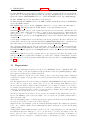
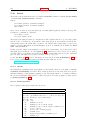
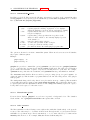
gnuplot honors the following resources for setting the dash style used for plotting lines. 0 means a solid
line. A two-digit number jk (j and k are >= 1 and <= 9) means a dashed line with a repeated pattern
of j pixels on followed by k pixels off. For example, ’16’ is a dotted line with one pixel on followed by six
pixels off. More elaborate on/off patterns can be specified with a four-digit value. For example, ’4441’
is four on, four off, four on, one off. The default values shown below are for monochrome displays or
monochrome rendering on color or grayscale displays. Color displays default to dashed:off
gnuplot*dashed: off
gnuplot*borderDashes: 0
gnuplot*axisDashes: 16
gnuplot*line1Dashes: 0
gnuplot*line2Dashes: 42
gnuplot*line3Dashes: 13
gnuplot*line4Dashes: 44
gnuplot*line5Dashes: 15
gnuplot*line6Dashes: 4441
gnuplot*line7Dashes: 42
gnuplot*line8Dashes: 13
83.78.7
X11 pm3d resources
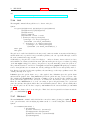
Choosing the appropriate visual class and number of colors is a crucial point in X11 applications and a
bit awkward, since X11 supports six visual types in different depths.
By default gnuplot uses the default visual of the screen. The number of colors which can be allocated
depends on the visual class chosen. On a visual class with a depth > 12bit, gnuplot starts with a maximal
number of 0x200 colors. On a visual class with a depth > 8bit (but <= 12 bit) the maximal number of
colors is 0x100, on <= 8bit displays the maximum number of colors is 240 (16 are left for line colors).
Gnuplot first starts to allocate the maximal number of colors as stated above. If this fails, the number of
colors is reduced by the factor 2 until gnuplot gets all colors which are requested. If dividing maxcolors
by 2 repeatedly results in a number which is smaller than mincolors gnuplot tries to install a private
colormap. In this case the window manager is responsible for swapping colormaps when the pointer is
moved in and out the x11 driver’s window.
The default for mincolors is maxcolors / (num colormaps > 1 ? 2 : 8), where num colormaps is the
number of colormaps which are currently used by gnuplot (usually 1, if only one x11 window is open).
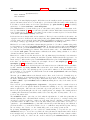
Some systems support multiple (different) visual classes together on one screen. On these systems it
might be necessary to force gnuplot to use a specific visual class, e.g. the default visual might be 8bit
PseudoColor but the screen would also support 24bit TrueColor which would be the preferred choice.
The information about an Xserver’s capabilities can be obtained with the program xdpyinfo. For the
visual names below you can choose one of StaticGray, GrayScale, StaticColor, PseudoColor, TrueColor,
DirectColor. If an Xserver supports a requested visual type at different depths, gnuplot chooses the
visual class with the highest depth (deepest). If the requested visual class matches the default visual
and multiple classes of this type are supported, the default visual is preferred.
Example: on an 8bit PseudoColor visual you can force a private color map by specifying gnuplot*maxcolors: 240 and gnuplot*mincolors: 240.
gnuplot*maxcolors: integer
gnuplot*mincolors: integer
gnuplot*visual: visual name
83.78.8
X11 other resources
By default the contents of the current plot window are exported to the X11 clipboard in response to X
events in the window. Setting the resource ’gnuplot*exportselection’ to ’off’ or ’false’ will disable this.