1
But there is a more important difference between the two ways of running shell scripts. While using
source causes the commands in the script to be run as if they were part of your login session, the "just the
name" method causes the shell to do a series of things. First, it runs another copy of the shell as a
subprocess; this is called a subshell . The subshell then takes commands from the script, runs them, and
terminates, handing control back to the parent shell.
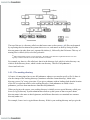
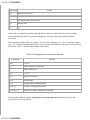
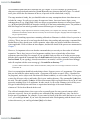
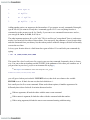
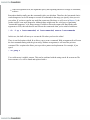
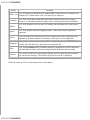
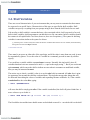
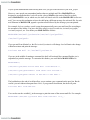
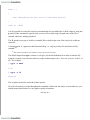
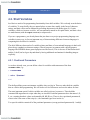
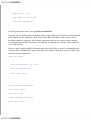
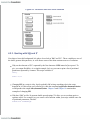
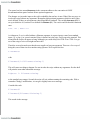
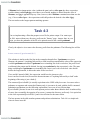
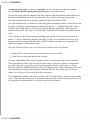
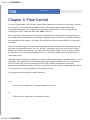
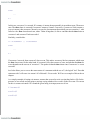
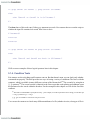
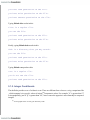
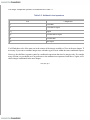
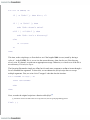
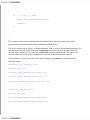
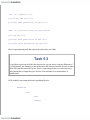
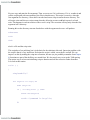
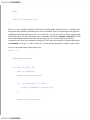
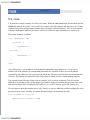
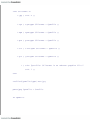
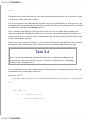
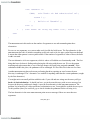
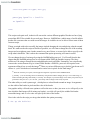
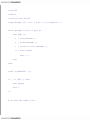
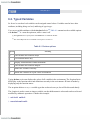
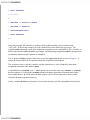
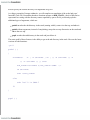
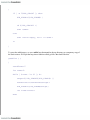
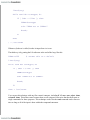
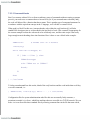
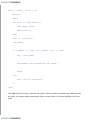
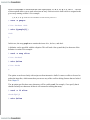
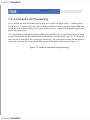
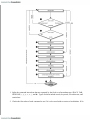
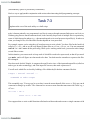
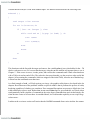
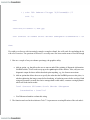
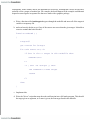
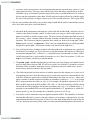
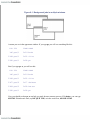
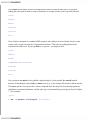
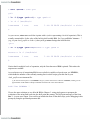
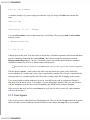
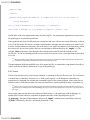
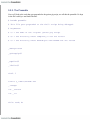
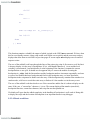
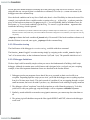
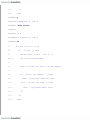
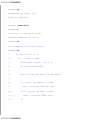
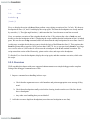
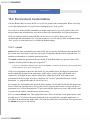
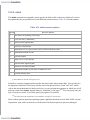
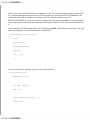
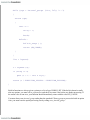
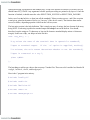
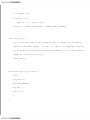
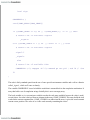
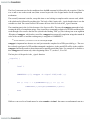
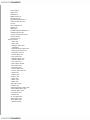
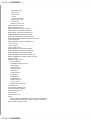
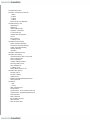
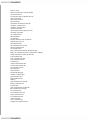
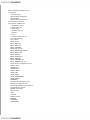
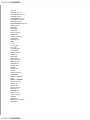
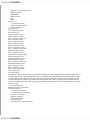
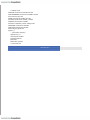
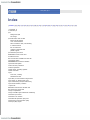
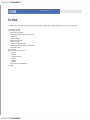
Figure 4-1 shows how the shell executes scripts. Assume you have a simple shell script called alice that
contains the commands hatter and gryphon . In .a, typing source alice causes the two commands to run in
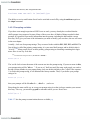
the same shell, just as if you had typed them in by hand. .b shows what happens when you type just alice :
the commands run in the subshell while the parent shell waits for the subshell to finish.
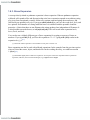
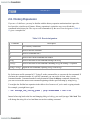
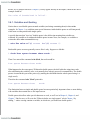
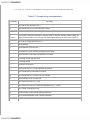
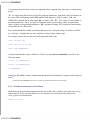
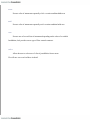
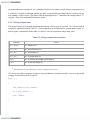
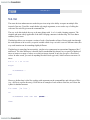
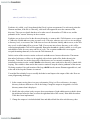
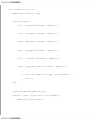
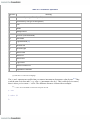
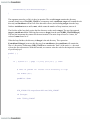
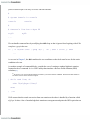
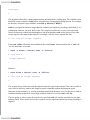
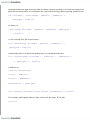
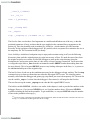
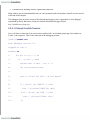
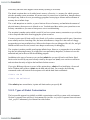
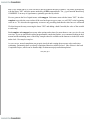
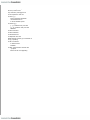
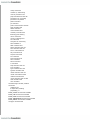
You may find it interesting to compare this with the situation in .c, which shows what happens when you
type alice & . As you will recall from Chapter 1 , the & makes the command run in the background ,
which is really just another term for "subprocess." It turns out that the only significant difference between
.c and .b is that you have control of your terminal or workstation while the command runs-you need not
wait until it finishes before you can enter further commands.
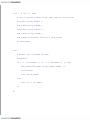
Figure 4-1. Ways to run a shell script
There are many ramifications to using subshells. An important one is that the export ed environment
variables that we saw in the last chapter (e.g., TERM , EDITOR , PWD ) are known in subshells,
whereas other shell variables (such as any that you define in your .bash_profile without an export
statement) are not.
Other issues involving subshells are too complex to go into now; see Chapter 7 and Chapter 8 for more
details about subshell I/O and process characteristics, respectively. For now, just bear in mind that a script
normally runs in a subshell.