1
< Day Day Up >
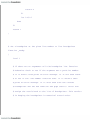
10.1. Installing bash as the Standard Shell
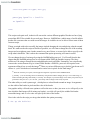
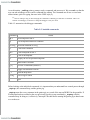
As a prelude to system-wide customization, we want to emphasize that bash can be installed as if it
were the standard Bourne shell, /bin/sh. Indeed, some systems, such as Linux, come with bash installed
instead of the Bourne shell.
If you want to do this with your system, you can just save the original Bourne shell to another filename
(in case someone needs to use it) and either install bash as sh in the /bin directory, or better yet install
bash in the /bin directory and create a symbolic link from /bin/sh to /bin/bash using the command ln -s
/bin/bash /bin/sh. The reason we think that the second option is better is because bash changes its
behavior slightly if started as sh, as we will see shortly.
As detailed in Appendix A, bash is backward-compatible with the Bourne shell, except that it doesn't
support ^ as a synonym for the pipe character (|). Unless you have an ancient UNIX system, or you
have some very, very old shell scripts, you needn't worry about this.
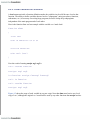
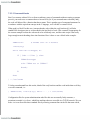
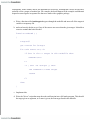
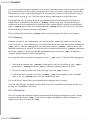
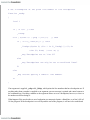
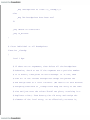
But if you want to be absolutely sure, simply search through all shell scripts in all directories in your
PATH. An easy way to perform the search is to use the file command, which we saw in Chapter 5 and
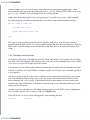
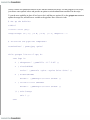
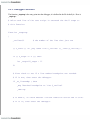
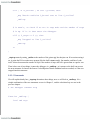
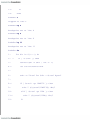
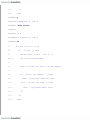
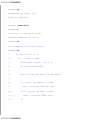
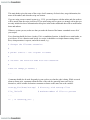
Chapter 9. file prints "executable shell script" when given the name of one.[2] Here is a script that looks
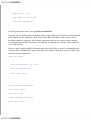
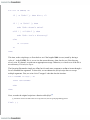
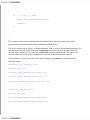
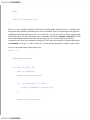
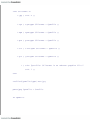
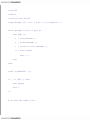
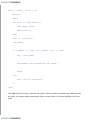
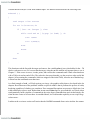
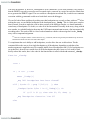
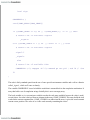
for ^ in shell scripts in every directory in your PATH:
[2]
The exact message varies from system to system; make sure that yours prints this message when given the name of a
shell script. If not, just substitute the message your file command prints for "shell script" in the following code.
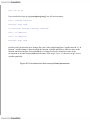
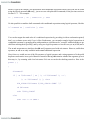
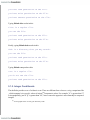
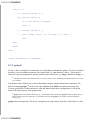
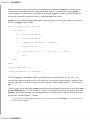
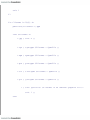
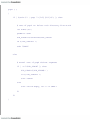
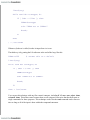
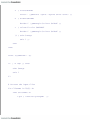
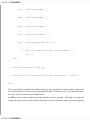
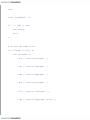
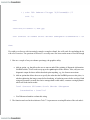
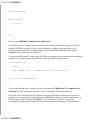
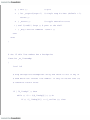
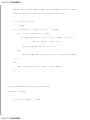
IFS=:
for d in $PATH; do
echo checking $d:
cd $d
scripts=$(file * | grep 'shell script' | cut -d: -f1)
for f in $scripts; do
grep '\^' $f /dev/null
done
done