1
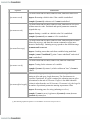
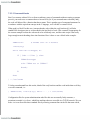
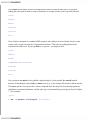
If filename had an inappropriate value (without the .pcx) such as alice.xpm, the above expression
would evaluate to alice.xpm.jpg: since there was no match, nothing is deleted from the value of
filename, and .jpg is appended anyway. Note, however, that if filename contained more than one dot
(e.g., if it were alice.1.pcx- the expression would still produce the desired value alice.1.jpg).
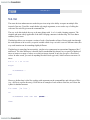
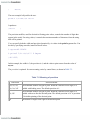
The next task uses the longest pattern-matching operator.
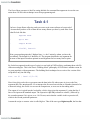
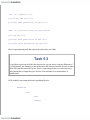
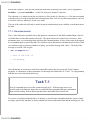
Task 4-3
You are implementing a filter that prepares a text file for printer output. You want to put
the file's name-without any directory prefix-on the "banner" page. Assume that, in your
script, you have the pathname of the file to be printed stored in the variable pathname.
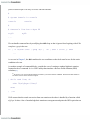
Clearly, the objective is to remove the directory prefix from the pathname. The following line will do
it:
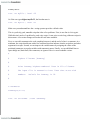
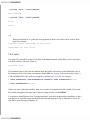
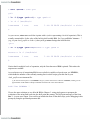
bannername=${pathname##*/}
This solution is similar to the first line in the examples shown before. If pathname were just a
filename, the pattern */ (anything followed by a slash) would not match and the value of the expression
would be pathname untouched. If pathname were something like book/wonderland, the prefix book/
would match the pattern and be deleted, leaving just wonderland as the expression's value. The same
thing would happen if pathname were something like /home/cam/ book/wonderland: since the ##
deletes the longest match, it deletes the entire /home/cam/book/.
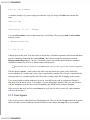
If we used #*/ instead of ##*/, the expression would have the incorrect value
home/cam/book/wonderland, because the shortest instance of "anything followed by a slash" at the
beginning of the string is just a slash (/).
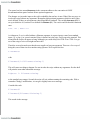
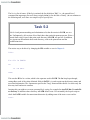
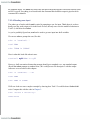
The construct ${variable##*/} is actually equivalent to the UNIX utility basename. basename takes a
pathname as argument and returns the filename only; it is meant to be used with the shell's command
substitution mechanism (see the following explanation). basename is less efficient than
${variable##*/} because it runs in its own separate process rather than within the shell. Another utility,
dirname, does essentially the opposite of basename: it returns the directory prefix only. It is equivalent
to the bash expression ${variable%/*} and is less efficient for the same reason.
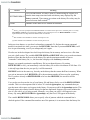
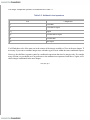
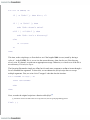
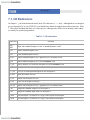
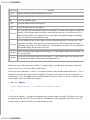
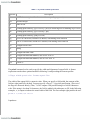
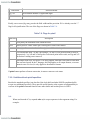
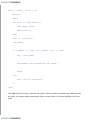
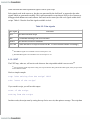
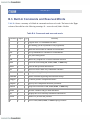
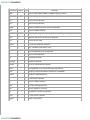
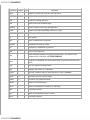
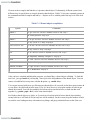
The last operator in the table matches patterns and performs substitutions. Task 4-4 is a simple task
where it comes in useful.