1
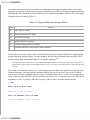
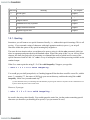
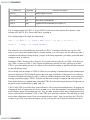
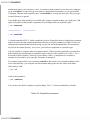
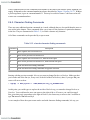
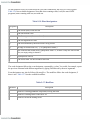
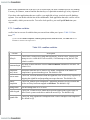
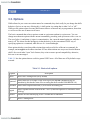
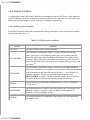
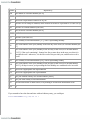
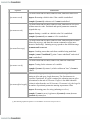
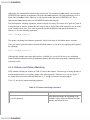
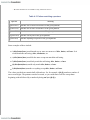
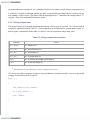
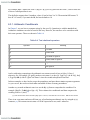
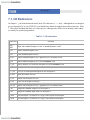
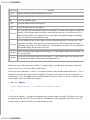
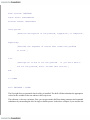
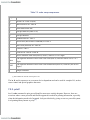
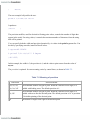
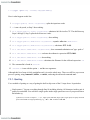
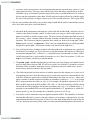
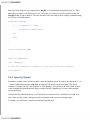
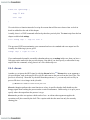
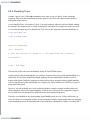
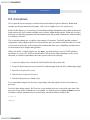
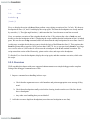
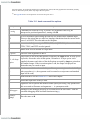
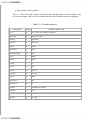
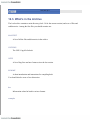
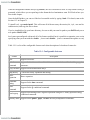
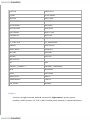
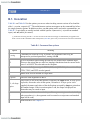
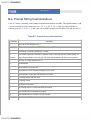
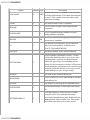
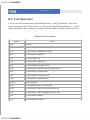
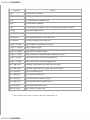
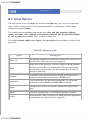
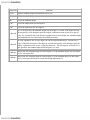
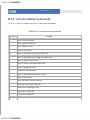
Option
Meaning
-c string
Commands are read from string, if present. Any arguments after string are
interpreted as positional parameters, starting with $0.
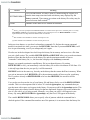
-i
Interactive shell. Ignores signals TERM, INT, and QUIT. With job control in
effect, TTIN, TTOU, and TSTP are also ignored.
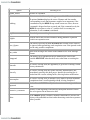
-s
Reads commands from the standard input. If an argument is given to bash, this
flag takes precedence (i.e., the argument won't be treated as a script name and
standard input will be read).
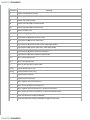
-r
Restricted shell. See Chapter 10.
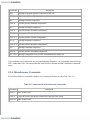
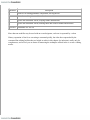
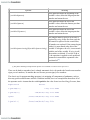
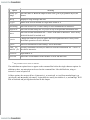
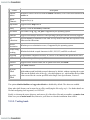
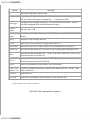
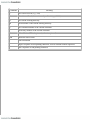
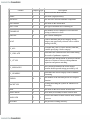
-
Signals the end of options and disables further option processing. Any options
after this are treated as filenames and arguments. - is synonymous with -.
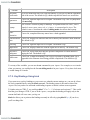
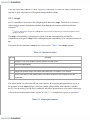
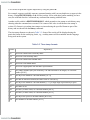
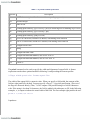
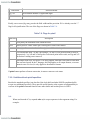
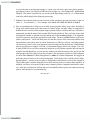
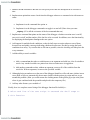
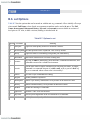
-norc
Does not read the initialization file ~/.bashrc if the shell is interactive. This is on
by default if the shell is invoked as sh.
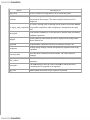
-noprofile
Does not read the startup file /etc/profile or any of the personal initialization
files.
-rcfile file
Executes commands read from file instead of the initialization file ~/.bashrc, if
the shell is interactive.
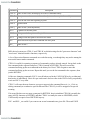
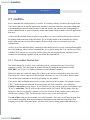
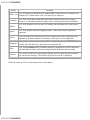
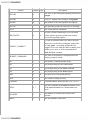
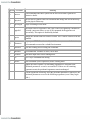
-version
Shows the version number of this instance of bash when starting.
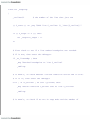
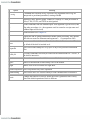
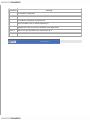
-quiet
Shows no information on shell startup. This is the default.
-login
Makes bash act as if invoked as a login shell.
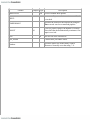
-nobraceexpansion Does not perform curly brace expansion.
-nolineediting
Does not use the GNU readline library to read command lines if interactive.
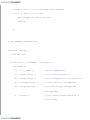
-posix
Changes the behavior of bash to follow the POSIX guidelines more closely
where the default operation of bash is different.
< Day Day Up >