1
•
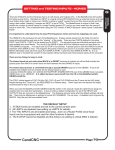
The MDI is a line to allow you to type in direct g-code commands to make
the machine make specific moves. You don't need to have a deep
knowledge of g-code to use it for testing.
Diagnostics Tab
(Your MDI may look different)
•
•
•
•
•
When you type in a g-code command it is not case sensitve but be sure to
use zeros's and not “O's” for the numbers! At this point do not worry
about which hotkeys are assigned to a direction.
With the machine out of e-stop and power on, type the following into the
MDI Frame:
o Move the screen cursor to the MDI frame and click on it. The frame
background color should change to yellow meaning it is ready for
input. No other movement keys work when the MDI frame is
selected.
o G00 X3.0
o Enter key activates command
The X axis should move 3 inches in some direction It should have moved
away from your established X zero and the DRO numbers should have
increased. If it did not then you need to reverse the direction of axis
travel.
To reverse the direction of any axis open the Ports and Pins/ Motor
Outputs and change the polarity of the Dir LowActive setting for that axis.
Clicking the Green Checkmark or the Red X will swap the definition. Red
X is posiive and Green Check is negative polarity.
Work with each axis to establish that the movement direction is correct.
Use the MDI frame and change the axis letter from X to Y then Z. Do
NOT change the polarity of the step signal (Should always be Red X
for BladeRunner
CandCNC
Page: 82
BR HARDWARE
INSTALL
D