Download POSJet 1000 Programming Guide

Transcript
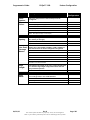
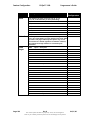
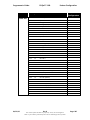
Table of Contents
POSjet™™ 1000
Programmer’s Guide
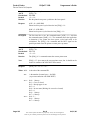
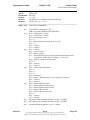
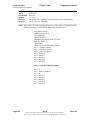
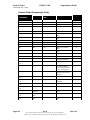
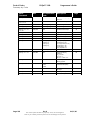
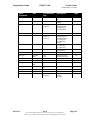
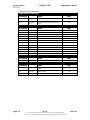
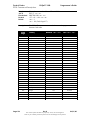
Print and Feed Commands.......................................................................... 120
Line Spacing Commands.................................................................................. 122
Character Commands....................................................................................... 122
International Character Sets ............................................................................. 125
Panel Button Commands.................................................................................. 133
Paper Sensor Commands.................................................................................. 134
<n> is defined as follows: ........................................................................... 134
Print Position Commands................................................................................. 136
Bit-Image Commands ...................................................................................... 140
Status Commands ............................................................................................ 141
Bar Code Commands ....................................................................................... 148
Mechanism Control Commands........................................................................ 151
Miscellaneous Commands ................................................................................ 152
Macro Function Commands ............................................................................. 155
User-defined Memory Commands .................................................................... 156
Ithaca Specific Commands ............................................................................... 161
Star Codes ....................................................................................................... 162
Star Command Summary............................................................................ 162
Citizen Codes................................................................................................... 165
Citizen Command Summary ....................................................................... 165
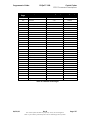
Chapter 7: ................................................................................................................... 166
Operator Panel Controls................................................................................... 166
Keypad Overview....................................................................................... 166
POSjet™ 1000 Buttons.................................................................................... 166
Power Button .................................................................................................. 166
Using the Power Button................................................................................... 167
Optimal Ink Cartridge Performance ............................................................ 167
Line Feed Button ............................................................................................. 167
New Cartridge Button...................................................................................... 167
Using the New Cartridge Button ...................................................................... 167
Cartridge Status Monitoring....................................................................... 167
Ink Cartridge Installation Specifics and Recommendations ......................... 168
Using the New Cartridge Button in Self-Test Mode ......................................... 169
Placing the POSjet™ in Self-Test Mode ..................................................... 169
Using New Cartridge Button in Self-Test Mode ............................................... 170
Exiting Self-Test Mode .............................................................................. 170
Using New Cartridge Button to Change POSjet™ Configurations.................... 171
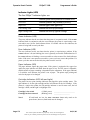
Indicator Lights (LED) .................................................................................... 172
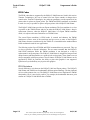
The five POSjet™ indicator lights are:........................................................ 172
Power Indicator (LED) .............................................................................. 172
Error Indicator (LED) ................................................................................ 172
Paper Indicator (LED) ............................................................................... 172
Cartridge Indicators (LED-left and right) ................................................... 172
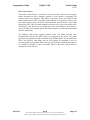
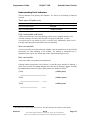
Understanding Fault Indicators......................................................................... 173
Fully-recoverable and Status....................................................................... 173
Page vi
Rev B
The content of this document is proprietary. It may not be divulged in
whole or part without permission from TransAct Technologies Incorporated.
06/01/00