1
V-Cone Metering Program User Manual
3.2
Station Setup
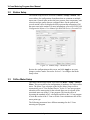
The Station Setup screen is accessed via Meter > Setup > Station. This
screen allows for configuration of attributes that are common to multiple
meter runs. General items such as the base pressure, base temperature, unit
selection and gas quality data are configured here. On the general tab,
several station values are displayed which represent the summation of all
the meter runs in the station. For more information, refer to ROCLINK 800
Configuration Software User Manual (for ROC800-Series) (Form A6218).
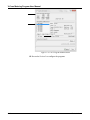
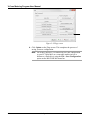
Figure 3-3. Station Setup – Advanced Tab
Review the configuration on this screen, and click Apply to save any
changes you have made. Proceed to Section 3.3 to configure the Meter
Setup screen.
3.3
Orifice Meter Setup
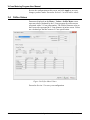
The Orifice Meter Setup screen is accessed via Meter > Setup > Orifice
Meter. This screen allows for configuration of attributes of a single orifice
meter. The Meter Type selection on the Orifice Meter Setup screen is
automatically set to “User Defined Device” by the V-Cone user program
when the orifice meter point for the selected meter run is selected as the
associated meter run in the V-Cone program. This has the effect of
bypassing the standard AGA3 calculation and allows the V-Cone program
to write the results of the V-Cone or Wafer-Cone calculation to the orifice
meter point type.
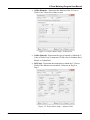
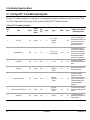
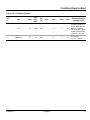
The following parameters have different meanings for the V-Cone
metering user program.
3-4
Configuration
Revised Oct-13