1
Spry Data Sets
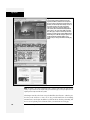
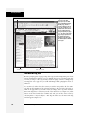
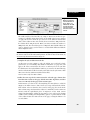
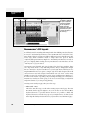
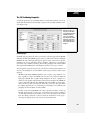
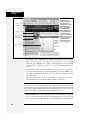
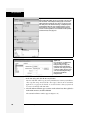
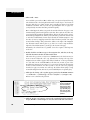
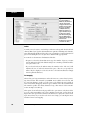
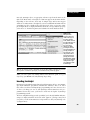
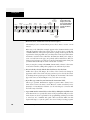
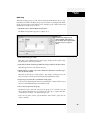
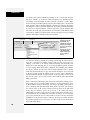
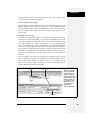
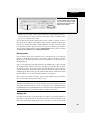
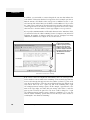
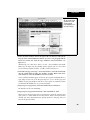
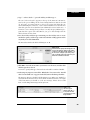
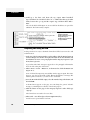
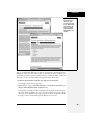
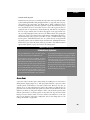
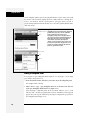
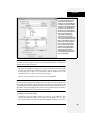
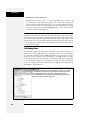
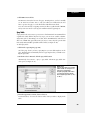
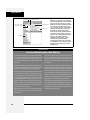
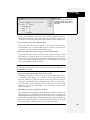
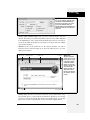
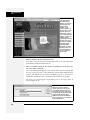
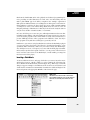
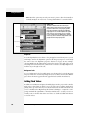
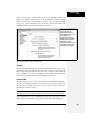
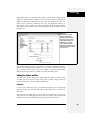
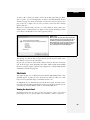
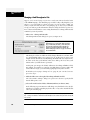
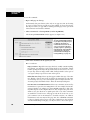
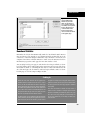
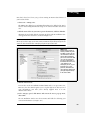
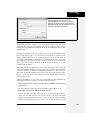
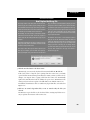
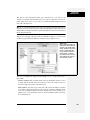
Figure 12-13:
A detail region lets you display more detailed
information about individual records from the XML file. It
works in conjunction with a Spry table as described on
page 493.
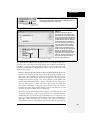
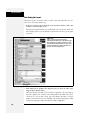
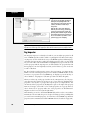
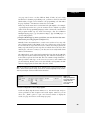
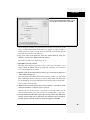
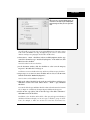
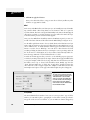
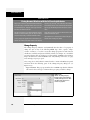
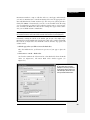
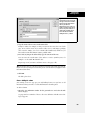
3. Choose a type of container—div or span.
A Spry region uses either a <div> tag or a <span> tag to hold Spry data content. Div is the most common selection, since a <div> tag can hold block level
elements like tables, bulleted lists, and other divs. In other words, a <div> tag
provides plenty of room to insert content.
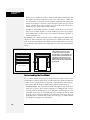
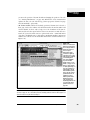
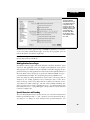
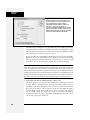
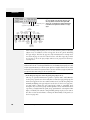
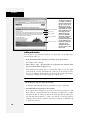
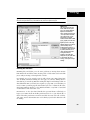
4. Choose the type of region.
To display multiple records from an XML file (like a list of employee names, or
a catalog of all of your company’s products), choose the Region option. People
often choose this.
The “Detail region” button is useful when you want to display extra information about one particular record in the XML file (like a photo and extra statistics about a particular plant). This information appears when the person
viewing the Web page clicks a row in a Spry table; the detail region is then
updated with whatever extra data you want to grab from the XML file. This
advanced tool is discussed on page 495.
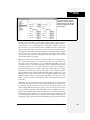
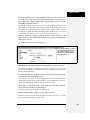
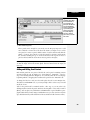
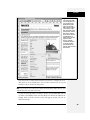
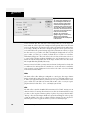
5. From the Spry Data Set menu, choose a data set.
If you’ve added multiple data sets to a page, use this menu to specify the data set
whose data you wish to insert into the region. Dreamweaver lets you insert data
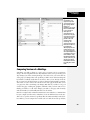
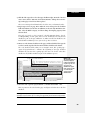
from more than one data set into the same Spry Region: from the Bindings panel,
simply drag an XML element from the different data sets into the Spry region.
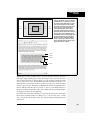
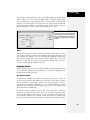
6. If you selected content on the page before inserting the Spry Region, choose
either “Wrap selection” or “Replace selection.”
Choose “Wrap selection” if you want to include elements that are already on the
page within a Spry region. Say you want to add a bunch of information from an
XML file to various locations in the main content area of a page (like inside a div),
but you already had some content in that div. Just click the div, click Ctrl+A (c-A)
to select everything inside the div, insert a Spry Region, and then choose the
“Wrap selection” button. Dreamweaver then “spry-ifies” that div.
Be careful of the “Replace selection” option: It deletes anything that you’ve
selected, and replaces it with an empty Spry Region.
Chapter 12: Spry
487