1
Communicating
with Design Notes
Setting Up Design Notes
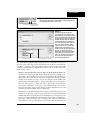
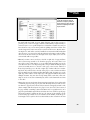
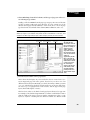
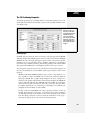
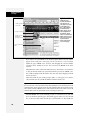
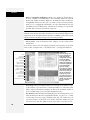
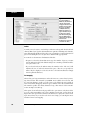
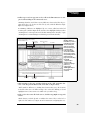
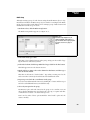
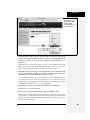
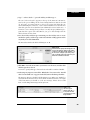
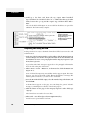
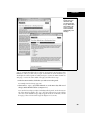
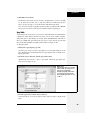
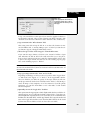
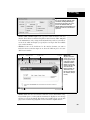
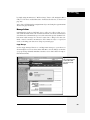
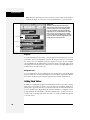
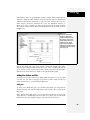
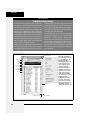
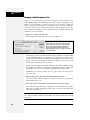
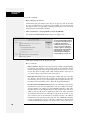
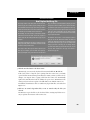
You can’t use Design Notes unless the feature itself is turned on. To find out if it is,
open the Site Definition dialog box by double-clicking the site’s name in the Manage
Sites dialog box (choose Manage Sites from the Site menu or the pop-up menu in
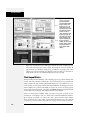
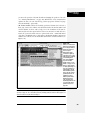
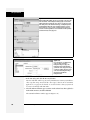
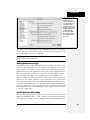
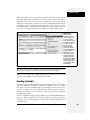
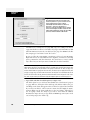
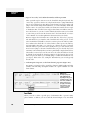
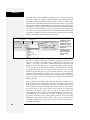
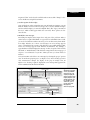
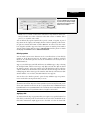
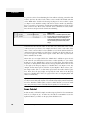
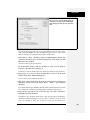
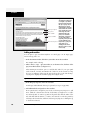
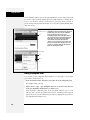
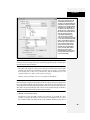
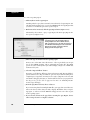
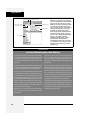
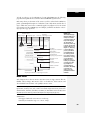
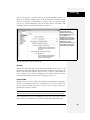
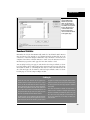
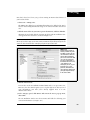
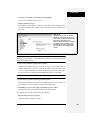
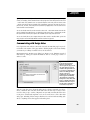
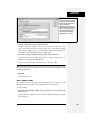
the Files panel). In the Category list, click Design Notes; as shown in Figure 17-15,
two checkboxes pertain to the notes feature:
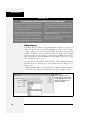
• Maintain Design Notes. This checkbox lets you create and read notes using
Dreamweaver’s File ➝ Design Notes command (see page 640).
• Upload Design Notes for sharing. If you’re using Design Notes as part of a
team, turn on this checkbox, which makes Dreamweaver upload design notes to
the remote site, so that your fellow team members can read them.
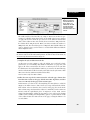
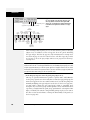
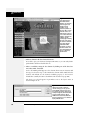
Figure 17-15:
The Clean Up button deletes any notes
that were attached to now-deleted files.
(To avoid stray notes files in the first
place, always delete pages in
Dreamweaver’s Files panel, instead of on
your desktop.) If you turn off the Maintain
Design Notes checkbox, clicking Clean Up
removes all Design Notes files for the site.
Note: Design Notes are especially useful for keeping track of pages that are built and maintained by a team
of developers. But if you’re a solo operator and still want to use them—maybe you’re the type with a hundred Post-it notes taped to the edges of your monitor—then turn off “Upload Design Notes for sharing.” You’ll
save time and server space by preventing Dreamweaver from transferring note files to the Web server.
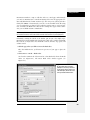
Click OK to close the Site Definition dialog box. You can double-click another site
in the Manage Sites dialog box to turn on its Design Notes feature, or click Done.
Adding Design Notes to a File
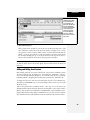
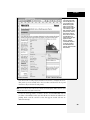
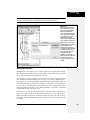
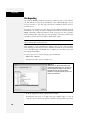
To add a Design Note to a document you’re working on, choose your favorite method:
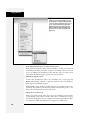
• Choose File ➝ Design Notes.
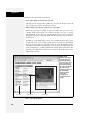
• From the File Status menu in the toolbar, choose Design Notes (see
Figure 17-9).
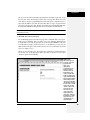
• Right-click (Control-click) a file in the Files panel (or an external object, such as
a graphic or Flash movie, in the document window), and choose Design Notes
from the shortcut menu.
638
Dreamweaver CS3: The Missing Manual