1
Flash: An
Introduction
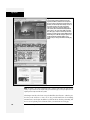
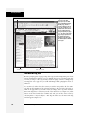
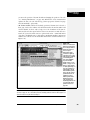
If your page has lots of Flash movies—numerous animated buttons, say—you can
play all of them at once by pressing Ctrl+Shift+Alt+P (c-Shift-Option-P). Then
sit back and watch the show. To stop all running movies, press Ctrl+Shift+Alt+X
(c-Shift-Option-X). You can also preview Shockwave movies in Dreamweaver.
(And no wonder: Adobe makes Shockwave, too.)
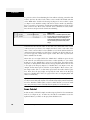
EXTENSION ALERT
Who’s Got Flash?
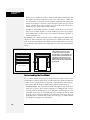
One tricky thing about using Flash movies is that you never
know whether the people visiting your site even have the
correct version of Flash Player. For example, say you create
a snappy new Flash-based program for translating text into
different languages using Flash CS3. This cool Flash movie
will have people across the globe communicating in each
other’s language—but, unfortunately, only if they have the
latest version of Flash Player. Earlier versions don’t understand some of Flash CS3’s complex features.
Instead of making your visitors scratch their heads and
curse your name when they can’t get this cool movie to
work, you can advise them they need a newer version of
the player. Adobe offers a Flash Detection kit that includes
an extension for Dreamweaver. This kit (a collection of
instructions and sample files) lets you build pages that can
tell whether visitors have Flash Player and, if so, which version they have. For information and downloads, visit www.
adobe.com/products/flashplayer/download/detection_kit/.
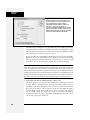
Flash Movie Properties
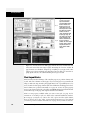
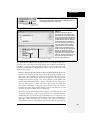
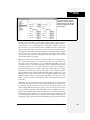
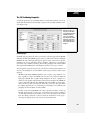
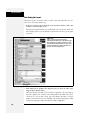
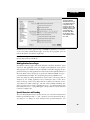
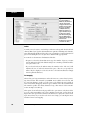
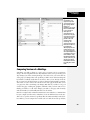
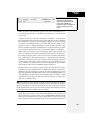
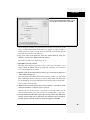
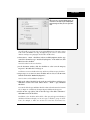
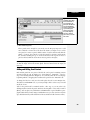
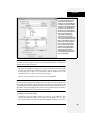
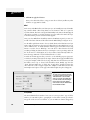
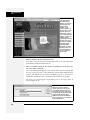
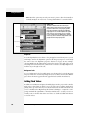
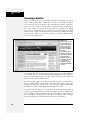
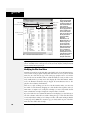
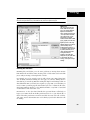
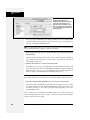
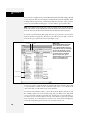
You’ll rarely have to change the default properties Dreamweaver assigns to Flash
movies. But if you ever want to change the margin of space around a movie,
restore it to its original size after resizing it, or swap in a different movie, the Property inspector is the place to do it.
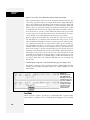
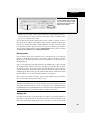
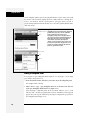
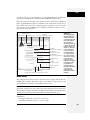
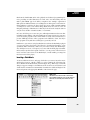
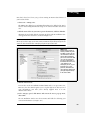
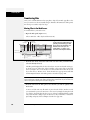
Naming a Flash movie
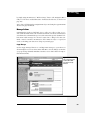
As with images and navigation buttons, you can use JavaScript to control Flash
movies. If you plan to use JavaScript with your Flash movie, you need to give the
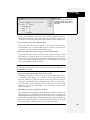
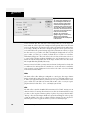
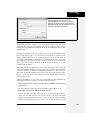
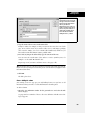
Flash element a name. To do so, type the name you wish to use in the Name field
(the box directly below Flash in the Property inspector). JavaScript uses this name
to identify the movie in its code.
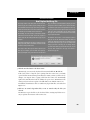
The movie file
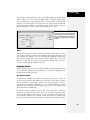
The File field specifies the path to the Flash movie file on your hard drive. To select
a different file, type a new path into the File field, or click the folder icon to access
your site folder’s contents.
Src property
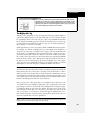
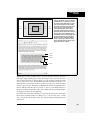
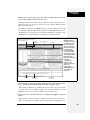
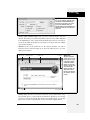
As with Fireworks files (see page 225), Dreamweaver can keep track of the original
Flash file you used when creating a Flash movie. That’s fortunate because, once
again, Flash movies start off in the program’s native format (as .fla files) and then
must be exported as .swf (Flash movie) files, which are viewable on the Web.
Chapter 14: Flash and Other Multimedia
543