1
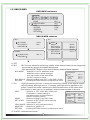
5-3. SENSITI.
A. SENSITI. : Selection of SENSITI. value manually in the range 0~30.
5-4. DISPAY
A. DISPLAY : Selection of OFF, ICON,TRACE
5-5. HOLD TIME
A. HOLD TIME : Selection of HOLD TIME value manually in the sec 0~15.
5-6. ALARM
A. ALARM : The camera will sound an alert if it detect the appropriate motion.
Selection of OFF, ON
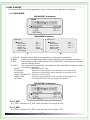
6. PRIVACY
This PRIVACY function will protect your privacy by screening the privacy area that you have
specified during monitoring
PRIVACY mainmenu
PRIVACY
MASK1
MASK2
MASK3
MASK4
MASK5
MASK6
MASK7
MASK8
RETURN
ON
OFF
OFF
OFF
OFF
OFF
OFF
OFF
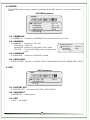
6-1. MASK1~8
A. OFF
B. ON :
DOT SEL
: Selection of L_TOP, L_BOT, R_TOP, R_BOT
DOT XY
MOVE XY
COLOR SET : Selection of BLACK, FRAY, CYAN, MAGENTA, BLUE, GREEN, RED, WHITE
RETURN : Pressing RETURN moves to a higher-level menu.
MASK1
DOT SEL
DOT XY
MOVE XY
COLOR SET
REUTURN
12
L_TOP
BLACK