Download 1. - DynaSCAPE

Transcript
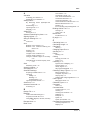
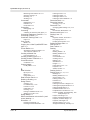
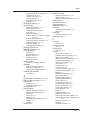
Index
Changing on the Fly 4.3
Shortcuts
Text 9.32
Sidebar
About, Folders 2.26
DynaSCAPE 2.26
Favorites 2.26
Figures 2.26
Site Capture Pro 17.13
Skewing figures
Distorting shape 11.7
Snap Lines Orthographically
Building Outline Tool 6.22
Snap Toggles (location)
Grid, Axis, Snap 2.24
Snaps (see Inference Settings) 2.24, 4.18
Softscapes
Searching
Advanced Options 12.39
Software Activation 2.2
Symbols 15.52
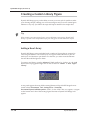
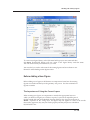
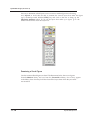
Adding a Figure to a Library 11.21
Creating a Custom Library Figure 11.14
Symbols sub-folder 11.27
Syntax
Entering fractions 4.12, 6.3
System Requirements 1.4
T
Tab
And Modifier Panels 2.15
Tables and Modes
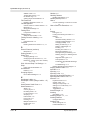
About 2.30
Controlling modes 2.30
Editing active lists 2.32
Select, Revise Toggles 2.31
Templates
Prototype drawings 2.4
Text
Attached to a Leader 9.13
Attached to a Leader Tool, using 9.15
Changing Global settings 9.24
Editing with Grips 8.4
Insert Above Existing Text 9.7
Insert Text Extracting the Attributes of
Existing Text 9.9
Inserting 9.5
Inserting (no leader) 9.3
Inserting (with a leader) 9.13
Inserting Between Three Points 9.5
Inserting Parallel to a Line 9.6
Inserting Text along a Flowing line 9.11
Inserting Text Below Existing Text 9.8
Modifier Panel Options 9.3
Nodes, Inserting into 9.10
Revising (no leader) 9.17
Revising Text with a Leader 9.21
Text Shortcuts 9.32
Text Settings
Changing Global dimension settings
4.27, 9.26
Labelling 4.26, 9.26
Revising attributes 9.17
Text Types 9.2
The Plant List Editor 12.8
Multiple Lists 12.32
Titleblocks
Creating Custom 18.5
Inserting 15.54
Inserting the Text 15.54
Rules About 15.56
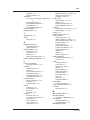
Toggle Bar
About 2.23
Tool Panels
Working with 2.14
Tool Settings
For Grid, Axis and Snap 4.13
Toolboxes
Adding Tools 18.9
Creating New 18.12
Customizing 18.9
Displaying nested (hidden) tools 2.11
Editing Existing 18.9
Finding other tools 2.9
Floating panels 2.14
Modifier Panels 2.14
Nested tools, Hidden tools 2.11
Operation of 2.8
Resizing 2.9
Rolling-up, Rolling-down 2.8
Switching (Rolling-Over) 2.9
Switching Tools 2.9
Visibility of panels 2.17
Top Button Bar 2.22
Tracing rotated 6.22
Triangulation 15.18
Triangulation Measurements 15.18
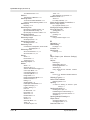
Trim
Between selected Lines 7.26
Trim (clip) Lines
To Closest Intersections 7.24
Trim alternate segments 7.24
Trim Lines
By a Specific Distance 7.28
Trim or Extend Lines 7.25
To a Specific Length 7.29
To Another Line 7.27
To Form a Corner 7.26
INDEX
9