1
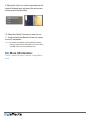
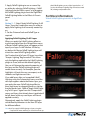
different from the color of the Atmosphere, you’ll
be prompted to make them match as shown on
the next page. Unfortunately, at this time, there
is no way for a plugin to set the composition’s
background color automatically. If you add a
layer later and want to have the Atmosphere
effect applied to it, simply choose “Apply Atmosphere To All Layers” again, and it will be added
to the new layer and its controls connected to
the “Master Atmosphere Control” layers’. Layers which already have the Atmosphere effect
applied will not have it applied again. The other
plugins in the set work in the same manner. To
apply them, choose “Apply To All Layers.
45
Layer Effect Controls vs
Master Controls
You may notice that if you choose the master
control layer and show its Effect Control Window,
that it shows one set of parameters, but if you
show the Effect Control Window of a video layer,
it has a different set of parameters for the same
effect. Parameters that apply to all layers show
up in the master control layer’s list of parameters. Parameters that only apply to a single layer
show up in that layer’s list of parameters. For
example, both the Atmosphere and Rack Focus
plugins require you to set the input gamma of
the video. Since each layer may have different
initial gamma, you can set each layer’s gamma
parameter separately. As stated previously, all
layers probably need to have the same atmosphere color or the effect won’t look right. So the
atmosphere color parameter is only available on
the Master Atmosphere Control layer, and not on
the individual layers.
®