1
Chapter 13
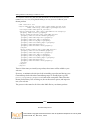
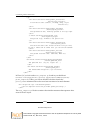
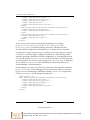
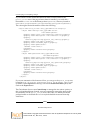
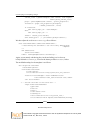
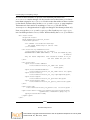
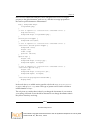
xmlns:i18n="http://xml.zope.org/namespaces/i18n"
lang="en"
metal:use-macro="here/main_template/macros/master"
i18n:domain="plone">
<body>
<metal:content fill-slot="content">
<tal:content-macro metal:define-macro="content"
tal:define="dummy python:request.set
(‘disable_border',1)">
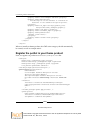
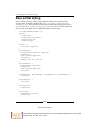
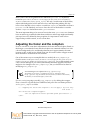
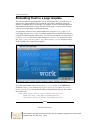
<object classid="clsid:d27cdb6e-ae6d-11cf-96b8-444553540000"
codebase="http://download.macromedia.com/pub/shockwave/cabs/flash/
swflash.cab#version=9,0,0,0" width="667" height="451" id="flash-intro"
align="middle">
<param name="allowScriptAccess" value="sameDomain" />
<param name="allowFullScreen" value="false" />
<param name="wmode" value="transparent" />
<param name="movie" value="intro.swf" /><param name="quality"
value="high" /><param name="bgcolor" value="#a8ac69" /> <embed
src="intro.swf" quality="high" bgcolor="#a8ac69" width="667"
height="451" name="intro" align="middle" allowScriptAccess="sameDo
main" allowFullScreen="false" type="application/x-shockwave-flash"
wmode="transparent" pluginspage="http://www.macromedia.com/go/
getflashplayer" />
</object>
<div tal:replace="structure provider:plone.belowcontent" />
</tal:content-macro>
</metal:content>
</body>
</html>
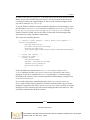
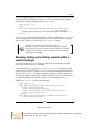
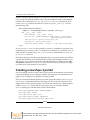
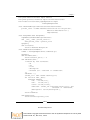
Meanwhile, the intro.swf file lives in the portal_skins/resourcemedia_images
folder, just like any other skin layer element. This means that if you are working
on the filesystem, the file would go in mybuildout/src/plonetheme.mytheme/
plonetheme/mytheme/skins/mytheme_images/ or similar.
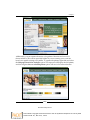
In this fashion, you can easily insert multimedia into a page template.
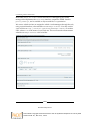
Plone add-ons for multimedia
Now that we understand the basics of how to insert multimedia code into our site,
let's look at a few add-ons that can be used to add visual interest and extra metadata.
[ 263 ]
Download at Boykma.Com
This material is copyright and is licensed for the sole use by Mauricio Esquenazi on 21st July 2009
10 Kenmare St. #4, , New York, , 10012