1
Understanding Zope Page Templates and the Template Attribute Language
How this works in Plone
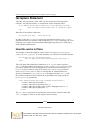
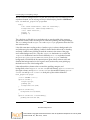
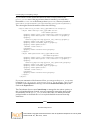
An easy example of how a conditional works in Plone is in path_bar.pt, located in
plone.app.viewlets:
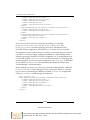
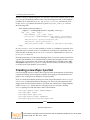
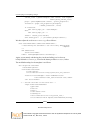
<span tal:condition="view/breadcrumbs" class="breadcrumbSeparator">
<tal:ltr condition="not: view/is_rtl">→</tal:ltr>
<tal:rtl condition="view/is_rtl">»</tal:rtl>
</span>
This conditional states that, depending on if you are reading right to left or left to
right, you will get a different type of arrow indicator.
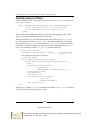
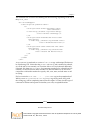
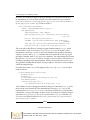
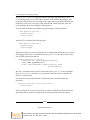
Another example of how a conditional might be used in Plone is in site_actions.
pt, which is also found in plone.app.layout. This page template has a condition
that states that if any site_actions (defined in portal_actions through the ZMI)
are visible, it will render them in an unordered list and assign attributes (id, i18n
hooks, href attribute) to each site_action's list item anchor tag.
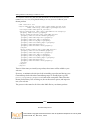
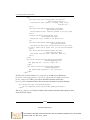
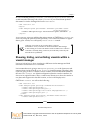
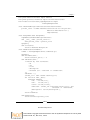
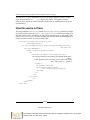
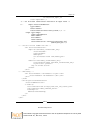
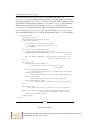
<ul id="portal-siteactions"
tal:define="accesskeys python: {'sitemap' : '3', 'accessibility'
: '0', 'contact' : '9'};"
tal:condition="view/site_actions"
i18n:domain="plone">
<li tal:repeat="saction view/site_actions"
tal:attributes="id string:siteaction-${saction/id}"><a
href=""
tal:define="title saction/title;
id saction/id;
accesskey python: accesskeys.get(id, '');"
i18n:attributes="title"
i18n:translate=""
tal:content="title"
tal:attributes="href saction/url;
title title;
accesskey accesskey;"
>Site action</a></li>
</ul>
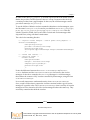
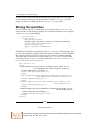
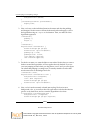
If there are no visible site_actions defined in the ZMI in portal_actions, nothing
will render, as the condition resolves to false.
[ 168 ]
Download at Boykma.Com
This material is copyright and is licensed for the sole use by Mauricio Esquenazi on 21st July 2009
10 Kenmare St. #4, , New York, , 10012