1
Chapter 10
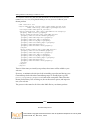
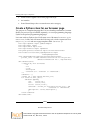
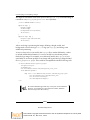
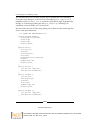
This code defines a background color for the wrapper element, plus a width, height,
and some padding. Then, we alter some of the Plone's default styling of the footer
and colophon to remove background colors and borders, then define widths for each
of those items and position them next to each other. Finally, they are assigned colors
and underlines for anchor tags.
However, there is more to be done. We want to customize the footer and colophon
to contain some custom text. Open the configure.zcml file, located in plone.app.
layout at mybuildout/buildout-cache/eggs/plone.app.layout[some version
number]/plone/app/layout/, and search for "footer" and "colophon". The code is
as follows:
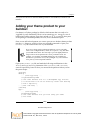
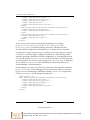
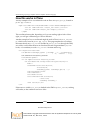
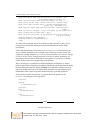
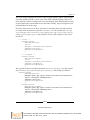
<!-- Footer -->
<browser:viewlet
name="plone.footer"
for="*"
manager=".interfaces.IPortalFooter"
template="footer.pt"
permission="zope.Public"
/>
<!-- Colophon -->
<browser:viewlet
name="plone.colophon"
for="*"
manager=".interfaces.IPortalFooter"
template="colophon.pt"
permission="zope.Public"
/>
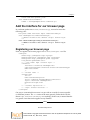
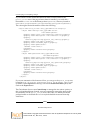
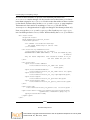
We copy this code into our theme product's browser/configure.zcml file, located
at plonetheme.guria/plonetheme/guria/browser/, and modify it as follows:
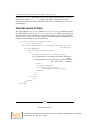
<browser:viewlet
name="plone.footer"
manager="plone.app.layout.viewlets.interfaces.IPortalFooter"
layer=".interfaces.IThemeSpecific"
template="footer.pt"
permission="zope2.View"
/>
<browser:viewlet
name="plone.colophon"
manager="plone.app.layout.viewlets.interfaces.IPortalFooter"
layer=".interfaces.IThemeSpecific"
template="colophon.pt"
permission="zope2.View"
/>
[ 227 ]
Download at Boykma.Com
This material is copyright and is licensed for the sole use by Mauricio Esquenazi on 21st July 2009
10 Kenmare St. #4, , New York, , 10012