1
Table of Contents
TABLE OF CONTENTS.......................................................................................................... 2
CHAPTER 1 - PRODUCT HIGHLIGHTS AND TECHNICAL OVERVIEW ....................................6
A QUICK LOOK AT ICOM/400.............................................................................................. 6
Providing Cost Effective & Time Savings Benefits .................................................................... 6
A TECHNICAL OVERVIEW OF ICOM/400 .................................................................................. 8
Systems Management ........................................................................................................ 8
Monitors ........................................................................................................................... 8
Actions ............................................................................................................................. 8
Schedules ......................................................................................................................... 9
Delivery............................................................................................................................ 9
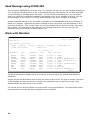
Send Message using ICOM/400 .......................................................................................... 10
Work with Monitors .......................................................................................................... 10
Message Queue Monitor ............................................................................................. 11
Work with Actions ............................................................................................................ 12
Add Action ................................................................................................................... 12
Change Command List ................................................................................................ 13
Work with Schedules ........................................................................................................ 13
Automatic Delivery of Messages ......................................................................................... 14
Work with Recipients ........................................................................................................ 14
Create Recipient Group ..................................................................................................... 16
Add Pager Company ......................................................................................................... 16
Work with Escalation Tables .............................................................................................. 18
Tracking and Reporting ..................................................................................................... 18
Work with Activity ............................................................................................................ 18
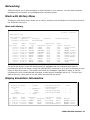
Networking ..................................................................................................................... 19
Work with History Menu .................................................................................................... 19
Work with History ....................................................................................................... 19
Display Escalation Information ........................................................................................... 19
Display ICM Log Information ...................................................................................... 20
Display QHST Log Entry ............................................................................................. 21
Service........................................................................................................................... 21
Product Warranty and Support ........................................................................................... 21
Remote Customer Support ................................................................................................ 22
Quick Start Wizard ........................................................................................................... 22
CHAPTER 2 - ICOM/400 INSTALLATION ..........................................................................23
ICOM/400 REQUIREMENTS ................................................................................................23
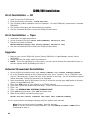
ICOM/400 INSTALLATION .................................................................................................24
First Installation — CD ...................................................................................................... 24
First Installation — Tape ................................................................................................... 24
Upgrade ......................................................................................................................... 24
Internet Download Installation ........................................................................................... 24
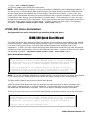
ICOM/400 Voice Installation .............................................................................................. 25
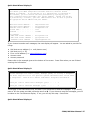
ICOM/400 QUICK START WIZARD .......................................................................................25
ADVANCED SET-UP ..........................................................................................................37
Modem Configuration ....................................................................................................... 37
Line Description Information.............................................................................................. 37
Pager Companies ............................................................................................................. 37
E-mail ............................................................................................................................ 38
Recipients ....................................................................................................................... 38
Actions ........................................................................................................................... 38
Monitor Configuration ....................................................................................................... 38
Testing ........................................................................................................................... 38
2