1
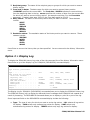
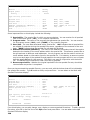
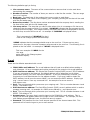
*CURRENT: You want to use the current user to produce a list of spooled files.
*ALL: You want to use all users to produce a list of spooled files.
user-name: Specify the name of the user that originated the spooled file.
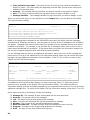
Output queue (OUTQ)
Specifies the output queue and its associated library where the spooled file resides.
*ALL: You want to use all output queues to produce a list of spooled files.
output-queue-name: Specify the name of the output queue where the spooled file resides.
*LIBL:
The library list is used to locate the output queue name.
library-name: Specify the name of the library where the output queue is located.
Time period for list (PERIOD)
Specifies the period of time for which the spooled file entries are selected for display. This parameter
contains two lists of two elements each.
Beginning time
One of the following is used to specify the beginning creation time at which or after spooled file
entries are included. Any entries created before the specified time and date are not included in the
display.
*AVAIL: Any time that is available for the beginning date is included.
begin-time: Specify the beginning time for the specified beginning date that indicates which
spooled file entries are to be included.
The time is specified in 24-hour format and can be specified with or without a time separator:
Without a time separator, specify a string of 4 digits (hhmm) where hh=hours and
mm=minutes. Hours and minutes must each be exactly 2 digits (using leading zeros if
necessary).
With a time separator, specify a string of 5 digits where the time separator specified for
your job is used to separate the hours, minutes, and seconds. If you enter this
command from the command line, the string must be enclosed in apostrophes. If a time
separator other than the separator specified for your job is used, this command will fail.
Beginning date
One of the following is used to specify the beginning creation date on or after which the spooled file
entries were made. Any entries prior to the specified date are not included in the display.
*CURRENT: Entries with a current date creation date and between the specified beginning and
ending times (if specified) are included.
*BEGIN: Entries from the beginning of the spooled file entries are included.
begin-date: Specify the beginning date. The date must be specified in the job date format.
166