Download TotalCode ERP User Manual
Transcript
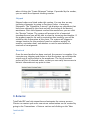
The “Point of Sale” subsection allows for the configuration of any sales completed in POS terminals. The price list to be used in the terminals and maximum number of simultaneous turns per terminal can be configured, along with the minimum client information requirements (phone number, email address, tax ID). You can also setup the system to email a copy of the POS invoice to the client, enable the sale of products with zero price, and enable the production (auto-build) of products with materials when not in stock. The maximum return percentage and late return warnings can be configured in the “Returns” subsection. Under the “Purchase Orders” subsection, you can determine when late vendor confirmation and shipping alarms are triggered, the maximum allowed overpayment (supplier invoice vs. original PO), and setup drop shipment behavior (if the order should be marked delivered when shipped by the vendor). 3.3 Shipping Configuration Shipping settings can be configured using the “Shipping” tab. A default carrier (and service) can be selected. If the carrier has no online rate functionality, the system will default to the amount selected as the default shipping rate. If the carrier does have online rate functionality, the system can add a percentage to the carrier’s quoted rate. When using a carrier that doesn’t provide online rate functionality, it is important to determine the default shipping rate as described above, and you can also setup exceptions to the default rate (by weight range and destination). For example, if a shipment exceeds 100lbs, you may want to create an exception so that the shipping rate is higher than the default rate. TotalCode ERP can connect to UPS and FedEx in order to get rates, automatically create labels, and track shipments. In order to enable each (or both) you must provide the connection information under the “UPS” and/or “FedEx” subsections. This information is provided by the carrier when you signup for online services. 3.4 Invoicing Configuration This section allows for the configuration of multiple invoicing options. You can determine whether TotalCode ERP creates invoices automatically when orders are packed or shipped, determine what email address clients can use to contact the billing department, and manage invoice sequences. Separate invoicing sequences can be used TotalCode ERP 5