1
Contents
Unit 1: Introduction ....................................................................................................................... 4
Chapter 1: What is Contax IVR?................................................................................................... 5
1.1 What is an IVR? ....................................................................................................... 5
1.2 What makes Contax IVR stand out from other similar products? ............................ 5
Chapter 2: Installing Contax IVR.................................................................................................. 7
2.1 System requirements ............................................................................................... 7
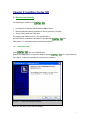
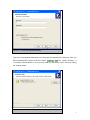
2.1.1 Installation Steps................................................................................................... 7
2.1.2 First Impressions: CONTAX IVR......................................................................... 10
Unit II – Contax IVR Flow Designer............................................................................................ 13
Chapter 3: Main Window ............................................................................................................. 13
3.1 (renumber) Cells, Controls, Properties and Variables .......................................... 14
3.2 The Side Toolbar.................................................................................................... 15
3.2.1 Flow Control Cells ............................................................................................... 16
3.2.2 Media Control cells.............................................................................................. 18
3.2.3 Top Toolbar ......................................................................................................... 19
3.3 Getting the Hang of It: Exploring Flow Designer.................................................... 20
3.3.1 Creating Cell icons .............................................................................................. 20
3.3.2 Select and Deselect Cell Icons ........................................................................... 21
3.3.3 Deleting cell icons ............................................................................................... 22
3.3.4 Place Link Trace between 2 Cell Icons............................................................... 22
3.3.5 Delete a Trace Line between 2 Cell Icons .......................................................... 23
3.3.6 Moving Selected Icons ........................................................................................ 23
3.3.7 Cut/Copy Cell Icons and Link Traces.................................................................. 24
3.3.8 Paste Cell Icons and Link Traces ....................................................................... 24
3.4 Property Table Pane .............................................................................................. 25
3.4.1 Drop-Down Cell List ............................................................................................ 27
3.5 Variable Table Pane............................................................................................... 27
Unit III-Basic Application Development .................................................................................... 28
Chapter 4: Your First Application .............................................................................................. 28
4.1 Break it Down ......................................................................................................... 28
1