1
Table of Contents
Chapter 1: Getting Started
What’s New in Version 3.6
System Requirements
Installing Easy Grade Pro
How to use this manual
5
5
5
6
Chapter 2: Getting Help
Getting Help within the Program
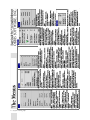
Quick Reference: The Menus
Quick Reference: The Tools
Quick Reference: The Score Chart
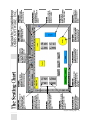
Quick Reference: The Seating Chart
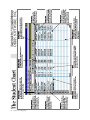
Quick Reference: The Student Chart
7
8
9
10
11
12
Chapter 3: Tutorial
Lesson 1: Moving around a Gradebook
Lesson 2: Adding an Assignment
Lesson 3: Options and Tools
Lesson 4: Working with Reports
13
14
17
19
Chapter 4: The Gradebook
Starting a New Gradebook
Adding Classes to a Gradebook
Managing/Sorting Class Records
Saving your changes
21
21
22
22
Chapter 5: Options
Class Options in General
Class Options: Grade Scales
What happens when a grade is typed
or clicked to give a score?
Class Options: Rounding
Class Options: Score Categories
Class Options: Score Footnotes
Class Options: Special Scores
23
23
24
24
24
25
25
Class Options: Attendance Categories
Class Options: Calendar
Class Options: Combine Term
Class Options: Seat Format
Class Options: Color
Copying Class Options to other Classes
Gradebook Options: Display
Gradebook Options: General
Gradebook Options: Security
Gradebook Options: Clipboard Text
Gradebook Options: Report Labels
Gradebook Options: Palm Setup
Using the Spell Check Window
26
26
27
29
29
30
30
31
31
32
32
33
34
Chapter 6: Students
A Class without Students
Adding Students to a Class
Copying Students to other Classes
Changing a Student Record
Changing the Order of Students
Withdrawing a Student
Deleting a Student
Transferring a Student
35
35
36
37
37
37
38
38
Chapter 7: Assignments
Adding Assignments
What’s your Grading Style?
Copying Assignments to other Classes
Changing an Assignment Record
Changing the Order of Assignments
Deleting an Assignment
How a Student’s Overall Grade is Calculated
39
40
41
41
41
41
42
Chapter 8: The Score Chart
Entering Score by Typing
43
Table of Contents 3