1
If you will be porting to or from school administration software, things can be much more difficult because these programs tend
to use custom formats. For example, some files may use fixed-length fields (instead of variable length fields) that are left or right
justified, with special fill characters and no delimiters except at the end of a record. In many but not all cases, formats can be
created in Easy Grade Pro to work with school administrative software.
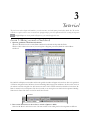
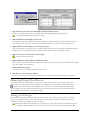
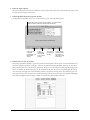
1 From the Import or Export window, select the Other Formats tab. Then click the New button.
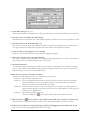
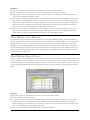
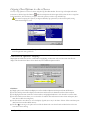
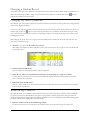
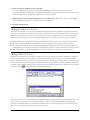
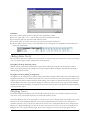
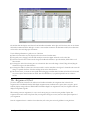
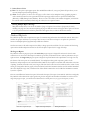
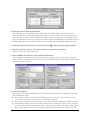
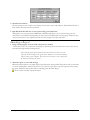
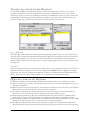
The New Format window will open (shown below). On the left side of this window is a list of fields that are available for use
in the format. On the right side of the window is a list (blank at first) of fields in the format you are creating. In general, you
will select a field in the left list and click the Copy button below the list to put the field in the list on the right.
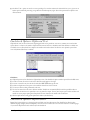
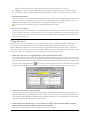
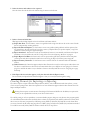
2 To add a field to your format, select it in the list on the left and click the Copy button.
When the Copy button is clicked, the field is copied to the list on the right. If a field is in the wrong position in the format
list, press on it and drag it to the new location.
A format is limited to thirty fields (columns of data) per record.
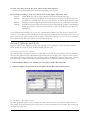
3 (Optional) Select the Quotes button.
Set this item if the data has (if importing) or should have (if exporting) quotation marks around each field. Under many
circumstances, Easy Grade Pro will remove quotation marks automatically during importing.
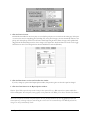
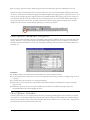
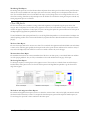
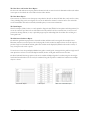
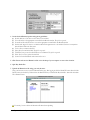
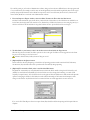
4 (Optional) To customize a field, select it and click the Edit button.
Easy Grade Pro automatically uses a tab-delimited format in which each field is variable in length and is followed by a tab
(ASCII 9) for most fields and a CR (ASCII 13) for the last field in a record. To change this formatting, or to make a field
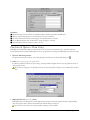
required (for export formats), select the field in the list on the right and click the Edit button. A small window will open with
options for changing the format of a field. Only those with sufficient knowledge of file formats should attempt to make
changes in this window. Any field that has been customized will have an asterisk appended to its name in the list.
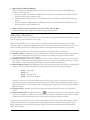
If you set the Field Data Required item in an export format, Easy Grade Pro will block exporting until all required data are
complete.
80 Chapter 15: Porting