1
NetWare Configuration
6.4.2 Using PCONSOLE
The QINST utility is the preferred method for creating Bindery print queues.
However, the PCONSOLE utility may also be used. To create a print queue using
PCONSOLE, three major steps must be completed:
•
The RP600 must be installed as a print server on the NetWare file server
•
Print queues must be created on the file server and must be attached to the
RP600
•
The RP600 must be told to re-poll the file servers for the updated queue
information
These steps must be performed on each file server that will need access to the
RP600 queues.
NOTE: The following steps refer to NetWare v3.11, but are similar for
v4.x and v2.x.
To create a print queue, complete the following steps.
1.
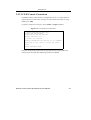
Log in as the privileged user on the file server you will be
changing and type PCONSOLE at the F: prompt to start the
utility.
2.
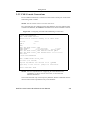
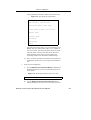
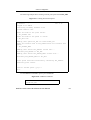
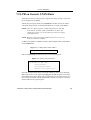
Create an entry for the Print Server on the Novell file server.
A. Select Print Server Information from the Available
Options menu (use the cursor keys to move to it and
press Enter). A list of current print servers will be
shown.
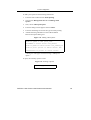
B. Press Insert to create a new entry, add the RP600 and
press Enter. This is the name that the RP600 will log in
as when querying the file server’s print queues. Note
that if the RP600 name is changed, the file server(s) will
need to be updated.
DIGITAL Laser Printer LN15 Ethernet User Manual
6-8