1
OWNER INTERACTION MANUAL
SW I FT F U T U R A ™
[oi_man.doc]
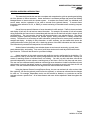
2.0
THE MENU SYSTEM
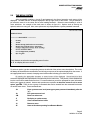
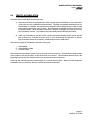
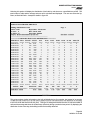
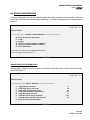
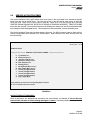
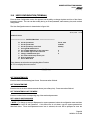
After successfully entering a Log-in ID and password, the Owner Interaction main menu will be
displayed. The date and time is always displayed in the top right corner of the screen. The job address or
job reference name is in the center and a menu heading beneath it. Below the menu heading is a list of
menu selections. An example of the main menu is shown in figure 2.0. Options such as security are
optional, and not on every job. Also, some options are only displayed after a system password is entered.
July 30, 1990 19:00
SWIFT FUTURA
********** MAIN MENU **********
S
T
G
R
F
A
U
B
Security
Traffic
Remote Group (Calls & Service Activation)
Remote Car (Calls & Service Activation)
Group Configuration (Lobby, Peak, Parking)
Service Activation Timer
User Configuration (terminal)
Bye...Log Off
Enter character to select the corresponding menu function.
Hit .R to redisplay this menu screen: ?
FIGURE 2.0
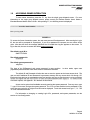
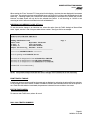
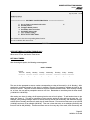
To select an option, type the corresponding letter to the left side of the various menu descriptions. The cursor
will always be located at the command line and will only accept one of the options displayed on the screen. If
an inappropriate letter is entered, a beeping sound will be made indicating your choice is invalid.
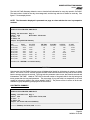
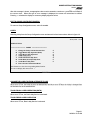
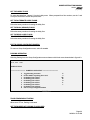
By entering the appropriate character, a second menu will be displayed. Second and third level
menus are displayed and implemented in the same way as the main menu. This permits a more detailed look
into the user's choice made at the first level. For some selections you will be prompted for more information
before your request is granted. Answer each question as required or to abort the screen if exit is not an
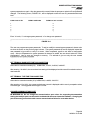
option, type Nc. There is also a group of commands that can be entered from the command line that do
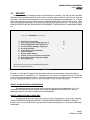
not access menu items. These commands are:
.a
Enter system access level (must type system password immediately after the
"a")
.e
.m
.r
.c
.c
.z
Exit system access level
Return to main menu
Redisplay or update screen
Clear communications buffer
Return to menu
Same as Nc when operating from Remote Monitor
Page 5
04/29/04 10:16 AM