1
OWNER INTERACTION MANUAL
SW I FT F U T U R A ™
[oi_man.doc]
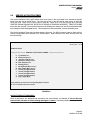
GENERAL OVERVIEW & INTRODUCTION
This manual will provide the user with a complete and comprehensive guide to operating and utilizing
all of the featuers of Owner Interaction. Owner Interaction is a software package that permits the Building
Manager/Owner to interact with the elevator system. It monitors the elevator traffic, the individual car's
service status, and the registration of car calls to secured floors (optional feature). To access Owner
Interaction (also referred to as ‘OI’, or ‘EMIS’), a remote monitoring or extended remote monitoring computer
is required.
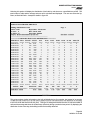
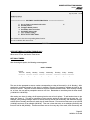
One of the most powerful features of owner interaction is traffic analysis. Traffic is the accumulation
and display of hall call, car call and car status information. For example, the number of hall call requests
during a specified time interval can be viewed along with the wait time for each hall call (this is known as hall
call distribution). The user can also view how may times and when a car switched service. The Owner
Interaction system continually monitors the elevator system, storing information in battery backed ram
memory. The latest five to seven days of traffic information is always stored in memory and is available for
analysis and display. A display of daily information, or traffic summary, can be viewed which shows the
overall performance of the group and cars. A hard copy printout of the traffic information can also be made.
The information is processed and analyzed as it is accumulated.
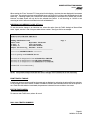
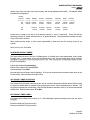
Another feature is the ability to set activation timers on services such as security, up peak, down
peak, alternate lobby, and parking. Four sets of on/off times can be set for each day of the week for each
type of service. Timers can also be set for up to fifteen holidays.
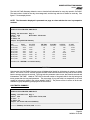
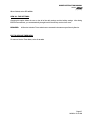
Owner interaction is also used to access and modify the security configuration for the building. For
SPU version 2.2 and up, there are four security configurations for the user to edit and activate. Security is a
means of restricting access to individual floors in a building. Car calls, up calls, and down calls can be
secured independently for each elevator, restricting entry to and from a floor for both front and rear doors.
The user can also create and modify coded car calls through owner interaction. Coded Car Call Security is an
optional type of security that allows access to a secured floor by entering a security code from the car call
buttons. The user is allowed to select the four digit code from the first fifteen floor numbers.
Using the features Remote Car and Remote Group, the user can activate hall calls, such as Code
Blue (optional), VIP Service (optional), and Fire Service (optional), or activate car calls and service changes
for each car. For example, independent service can be activated or disabled; or a particular car can be
selected to home a specific floor. All of these features and more will be explained in detail throughout this
manual.
Page 3
04/29/04 10:16 AM