1
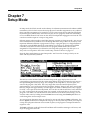
Setup Mode
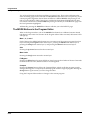
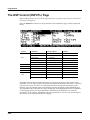
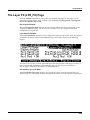
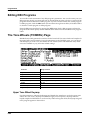
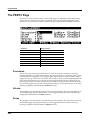
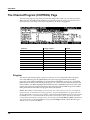
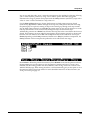
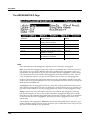
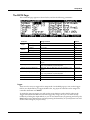
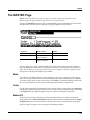
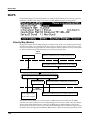
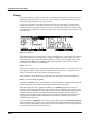
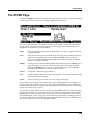
The Key/Velocity (KEY-VEL) Page
Velocity Offset
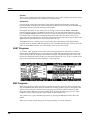
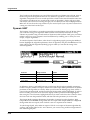
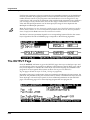
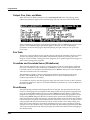
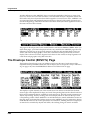
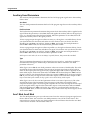
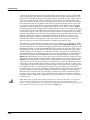
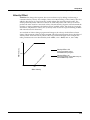
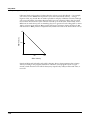
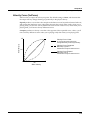
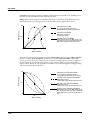
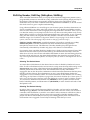
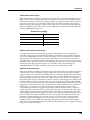
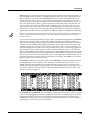
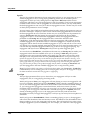
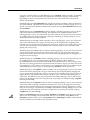
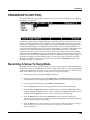
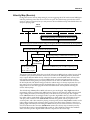
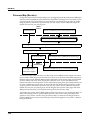
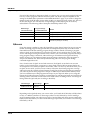
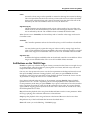
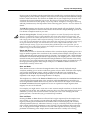
VelOffset also changes the response, but in a more direct way, by adding or subtracting a constant to the key velocity. For example, if this is set to 25 (assuming a scale of 100%), then 25 is added to the velocity of every keystroke, usually making the sound that much louder. The softest possible keystroke will have a value of 25, while a keystroke with velocity of 102 will produce the same sound as a note with velocity 127 (102+25=127). Negative values diminish the response: a setting of ‐25 means the loudest velocity available will be 102, while any keystroke 25 or below will produce a velocity of 1 (a velocity value of zero has a special meaning in MIDI and cannot be used for Note Ons).
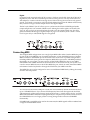
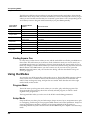
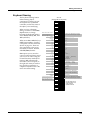
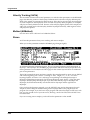
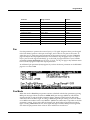
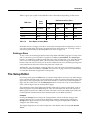
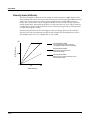
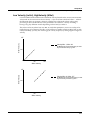
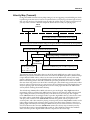
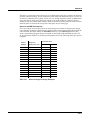
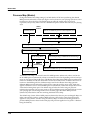
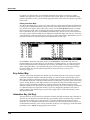
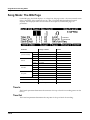
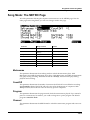
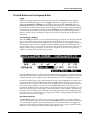
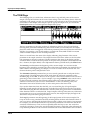
You can think of Scale as being a proportional change to the velocity, while Offset is a linear change. The maximum values for Offset are ±127. The following illustration shows the effects of Velocity Offset. Note that Velocity Offset is the only parameter changed in this example; the other parameters are set to their defaults (scale = 100%, curve = linear, min = 1, max = 127).
MIDI Velocity
127
Velocity Offset: +64
low velocity keystrikes produce
medium MIDI velocity and greater
64
Velocity Offset: -64
low velocity keystrikes result in MIDI velocity of 1;
maximum MIDI velocity reduced
0
64
127
Strike Velocity
7-13