1
19.2 MU UNLINK: Breaking A Loco Out Of A Consist
19.2.1 Nested Consist Unlinking
19.2.2 Advanced Consisting
19.3 MU of Mismatched Locomotives
20.0 DT100 CONFIGURATION OPTIONS
21.0 DCS100 PROGRAMMING MODES DECODER PROGRAMMING:
CUSTOMIZING YOUR DECODER'S PERFORMANCE CHARACTERISTICS
21.1 Programming Track
21.2 Using Your DT100 To Program Decoders
21.3 Programming 2 Digit Short Address Decoders
21.4 Four Digit Long Address Programming
21.5 Programming Other Configuration Variables (CV's)
21.6 User Loadable Speed Tables
21.7 Operations Mode Programming
21.8 Programming DS54's
21.9 Digitrax PR-1 Decoder Programmer & Your PC!
22.0 DT100 FAST CLOCK
23.0 SHUTTING DOWN THE SYSTEM-DCS100 SLEEP M ODE
24.0 DCS100 OPTION SWITCH SETUP
25.0 MOTOROLA TRINARY FORMAT DECODERS
26.0 Troubleshooting
26.1 Clean Track
26.2 Reprogram the Decoder
26.3 Emergency Stop
26.4 Mechanical Drive Train Problems
26.5 Strange Lights (Not The Ones In The Sky)
26.6 LocoNet Doesn't Respond.
27.0 FCC INFORMATION
28.0 WARRANTY & R EPAIR INFORMATION
Index
73
73
73
74
75
77
78
79
80
81
82
84
88
89
89
90
93
94
98
100
100
100
100
100
100
101
101
102
105
1.0 Introduction
Congratulations on your purchase of a Digitrax Chief Starter Set, DCS100
Command Station/Booster and/or DT100 Throttle!
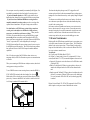
The overall design of the Digitrax Command Control system allows you to
create a working layout by connecting various system components in the
configuration that best meets your needs. The Digitrax system drastically
reduces & simplifies layout wiring; you probably won't need to rewire your
existing system. To create a DCC system you will need a Command Station,
a Booster, a Throttle & several mobile decoders for your locomotives.
LocoNet is the communications network Digitrax products use to put it all
together.
•Each system has one Command Station that generates the DCC packets that
tell the decoders what to do & produces Rail Sync so that all the devices
you attach to LocoNet work together. With the Digitrax System you have
a choice of several command stations to allow you to tailor your system to
meet your needs. In an effort to keep the price down, we have chosen to
combine command station functionality with other system hardware
components. The Challenger Command Station is included in every
DB100 series booster. The DT200 Command Station/Throttle is used as
the command station in the Big Boy Starter Set. The DCS100 Command
Station/Booster is the command station for the Chief Starter Set.
•Boosters receive the DCC signal from the Command Station, amplify it &
put it on the track as the power that runs the layout. You can have
several boosters on a system, each driving its own track section. You can
have both regular or auto reversing boosters depending on your needs.
•Throttles are input devices that tell the Command Station what you want the
decoders to do. You can have many throttles on your system. The
number is determined by the capabilities of the Command Station you are
using.
•The Decoders in the locomotives or under the switches or other accessories
receive the signal from the track, decode it & tell the locomotive or
switch/accessory what to do.
•There are many different combinations of Digitrax products that you can use
to set up a system that is just right for your application. You can also
combine Digitrax products with DCC compatible decoders, boosters &
computer software made by other manufacturers.
Your success with & enjoyment of our products are very important to us.
After all, this is a hobby & it is FUN!!! Please read this manual carefully
before you install your DCS100 & DT100. We have included lots of hints &
operating ideas based on our experience with the Digitrax system. If you
3
4