1
the decoder, in order to successfully read back a decoder on the Service Mode
programming track.
The following is an outline of how to program CV's with your DT100
followed by explanations of the most often used CV's.
21.2 Using Your DT100 To Program Decoders
1. Once you have your Chief Set up & running enter the programming mode
on ANY DT100 connected to the system by pressing
&
together
until the DT100 programming indicator
glows GREEN. When the
GREEN indicator is on, the DT100 is in programming mode. Be sure that
only the loco that you want to program is on the programming track
section attached to "PROG A/B" terminals of the DCS100 command
station. The DT200 throttles are not designed to access the Programming
track of the DCS100. You must use DT100's for this.
2. Turn the Left Hand Throttle knob "L" on the DT100 until the CV number
you want to change is displayed in the left hand side of the LCD screen.
When you first access a new CV#, the DT100 does not automatically read
back the contents of this new CV#, so it will display 2 dashes in the right
hand side of the LCD to signify that the CV contents are unknown. (If you
do not wish to read back the current value programmed to the CV selected,
proceed to Forced Write below.) If you wish to read or "DISPlay" the
current value programmed for this CV from the decoder on the
Programming track, press the
key. The DT100 will flash up the
Programming Mode being used followed by the CV# number. As the
DCS100 is scanning or reading the decoder on the track, you will see the
left most digit moving in a "pretzel" formation to show activity. When a
data value is successfully read from this decoder's CV, it will replace the
"pretzel" with a flashing number in the 2 right hand digits.
2a. Read back Failure Messages:
"busy" means the Programmer is being accessed by another device. Wait
briefly & try pressing the key
again.
"no-d" means that there is no decoder on the Programming Track or the
decoder was removed during programming operations, the DT100 will
abort the current programming activity.
"noPG" means that the programmer detects the standby power draw of a
decoder but does not get the correct response to programming actions. If
this happens, be sure that the decoder has a motor load connected that will
allow correct feedback. If this does not correct the problem, try to program
the decoder using the Physical register programming mode since this
decoder may not support the "Paged CV" programming method. For
79
technical details, refer to the NMRA RP-9.2.3 Specification & your
Decoder manufacturer's documentation for information on the types of
programming supported. All Digitrax decoders support Paged
programming.
Note that CV 01 is the loco address & displays as "Ad" on the left side of
the display. See section 21.5 below for more information about
programming addresses & other CV's.
3. At this point if you have read the CV value you now can modify it by
turning the Right Hand Throttle knob on the DT100 until the value you
want to program is showing in the right hand side of the LCD display.
4. Press the
key to "set" or write/program the value showing in the right
side of the display to the CV showing in the left side of the LCD screen. If
this write operation is successful, the DT100 will flash "Good" on the
display to confirm this.
4a. Forced Write: If you press the
key when the DT100 right digits are
showing dashes (before the CV value is read back) you can proceed to
select a new data value for the CV by using the Right Hand Throttle Knob
"R". To force the programmer to write the selected value to the selected
CV simply press the
key again.
5. You can continue selecting CV's and reading and writing them until you
are finished. When you are finished with your programming session,
return the DT100 to normal throttle mode by pressing
&
together
until the D100 programming indicator
no longer glows GREEN.
21.3 Programming 2 Digit Short Address Decoders
The initial program display will show the last CV# used in the last
programming session.
Turn the Left knob counterclockwise to change the left digits to "Ad". A
display of "Ad:--" shows the current value of the 2 digit short address in the
decoder on the programming track has not been read back and is unknown.
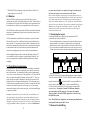
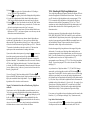
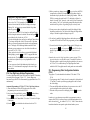
Programming Mode Display Example
This display shows "Ad:01". The "Ad" is used to let you know that you can
program and change the decoder's 2 digit short address (CV#1). The right
side of the LCD is the 2 digit short address. The DT100 can write a loco
address from 1 to 127 using the mixed-mode decimal numbers shown in
Table I in section 12.2.
80